| Image |
Comment |
| 11/02/2007 09:24:10 AM |
|
 Photographer found comment helpful. Photographer found comment helpful. |
| 11/02/2007 09:22:53 AM |
|
| Photographer found comment helpful. |
| 11/02/2007 09:21:38 AM |
|
| Photographer found comment helpful. |
| 11/02/2007 09:20:33 AM |
|
| Photographer found comment helpful. |
| 11/02/2007 09:15:30 AM |
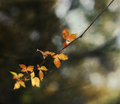
Timelessby JutildaComment: A nice, light-handed touch with this one works perfectly. The autumn leaves stand out brilliantly against the muted and slightly gritty background. Great job! |
| Photographer found comment helpful. |
| 11/02/2007 09:13:12 AM |
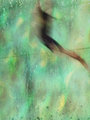
Dried Rose, Raw Silk, and Sandstoneby GermaineComment: The subject matter and layering treatment give this a nostalgic, almost melancholy feel. I'm thinking that I might like the composition a bit better cropped in closer on the right. The colors are wonderful. |
| Photographer found comment helpful. |
| 11/02/2007 09:09:49 AM |
|
| Photographer found comment helpful. |
| 11/02/2007 09:07:52 AM |
|
| Photographer found comment helpful. |
| 11/02/2007 09:06:38 AM |
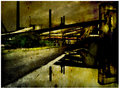
2.by suemackComment: I think that this layer works really well with this portrait; we just need to see her eyes a bit more clearly. Try using the eraser tool set to about 30% opacity to start, focusing on just the eyes. I might also try erasing some of the layering effect from the rest of her face and hair, so that we still see the effect, but she's not so hidden behind it (maybe at about 15% opacity). I'm totally new at this too, but it's been really fun experimenting so far. :) |
| Photographer found comment helpful. |
| 11/01/2007 10:17:29 PM |
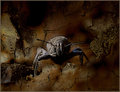
IMG_6508by whiteroomComment: This overlay rocks! I think it has your signature stamp on it. Kind of old world, with a bit of modern showing through. |
| Photographer found comment helpful. |
Home -
Challenges -
Community -
League -
Photos -
Cameras -
Lenses -
Learn -
Help -
Terms of Use -
Privacy -
Top ^
DPChallenge, and website content and design, Copyright © 2001-2026 Challenging Technologies, LLC.
All digital photo copyrights belong to the photographers and may not be used without permission.
Current Server Time: 08/16/2026 12:45:40 PM EDT.