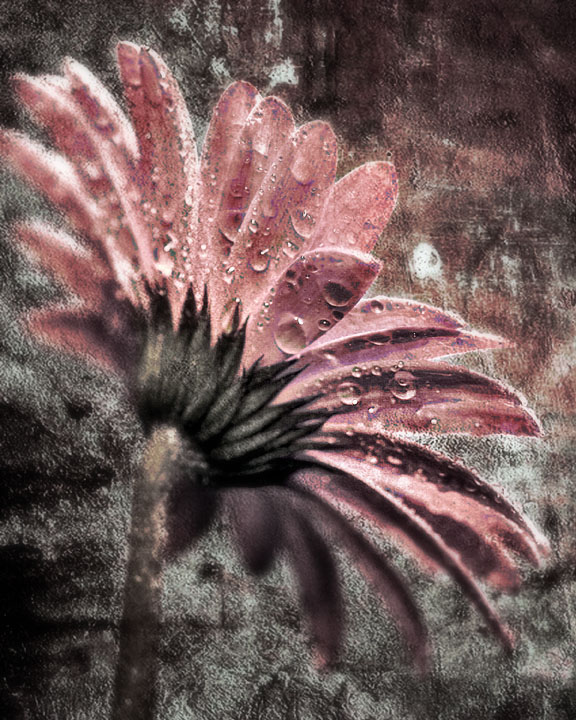
I used 2 additional texture images for this. I used one of ErinM's concrete stains images from the last Texture/Overlay side challenges, and one of philup's scratches images from the last Texture/Overlay side challenges.
While the image was still in layers, I selected the background of the original image and darkened it, plus I shifted the hues. I used multiple layers of the orig image with one or more of the textures already added (via multiply, darken, overlay). I erased parts of the overlays that were encroaching on the closest petals. I added a layer of LucisArt and a very gentle layer of Aetherize filter (by Flaming Pear). I dodged and burned sections of the petals to even out the light. I used color balance, levels, replace color, selective color, and brightness/contrast. Toward the end, I added a layer of gaussian blur, then erased the closest petals so that they remained in focus.
Hope this helps - it's probably as clear as mud! ROFLMAO
Jimmy, this is absolutely beautiful. The colors, the textures - stunning. It's either like the flower is becoming stone or emerging from stone. Love it.
Thanks for adding the steps in your process, it is very interesting reading. I think I will do the same, because for the experts like you, it'd make it easier to critique. Your overlays portfolio is inspiring to look through.
This is pretty cool looking, and I like the perspective. Startling contrast between what you started with and how it ended up. The colors of the wall texture go very well with the subject.




 Add photograph to your favorites
 Add photographer to your favorites


 Photographer found comment helpful.


