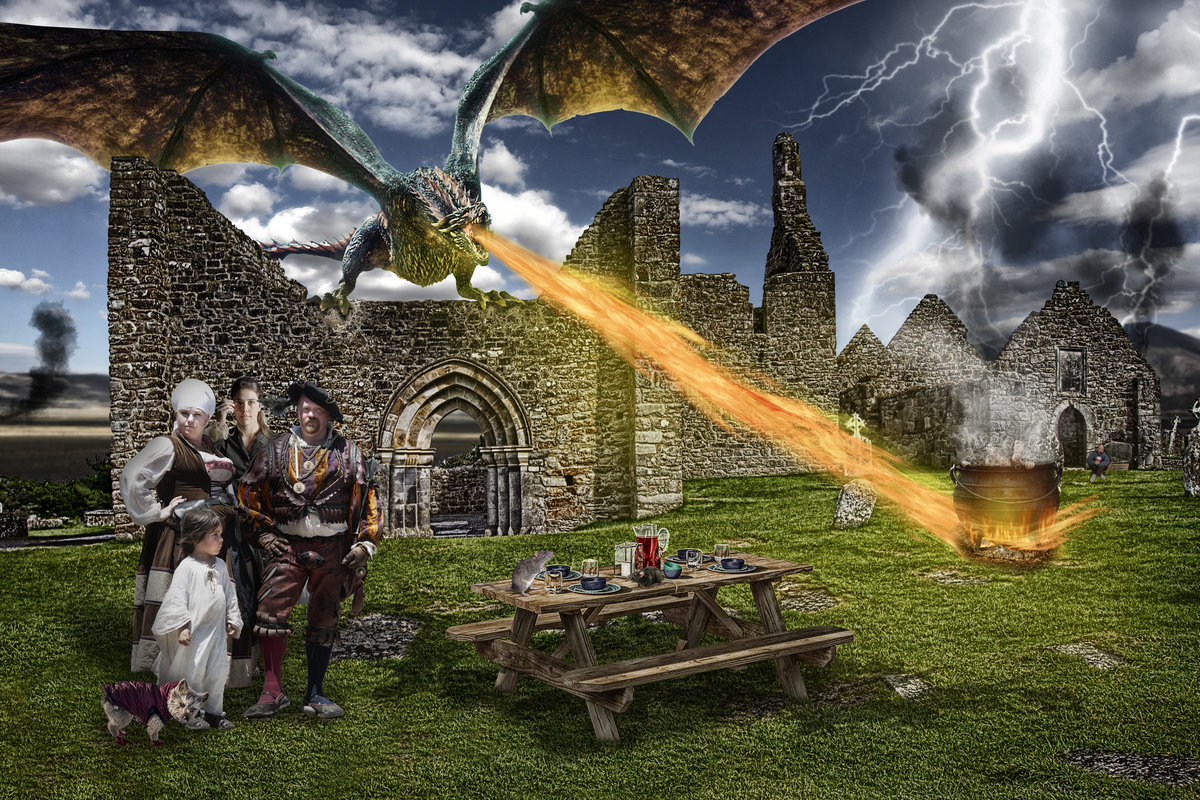
There is a story here. I'll make it up later. Feel free to open the full size image and zoom in on the details - this is a pretty large file. My working PSD is over 1.2GB!
Regarding Roz' inquiry about the fire:
I found some fire brushes here: https://www.brusheezy.com/free/fire
There are a TON of free brushes on this and other sites – too many, really. But I found one called “20 Fire Brushes”
Also, I use Photoshop CC, which has the ability to render fire under Filter>Render>Flames, but you have to draw a path first. They are more realistic than what I (still) use in PS CS4 add-on called Eye Candy, which is no longer available and doesn't work in PS CC. I still have many add-ons that are not available in PS CC, so I often jump back and forth between CC and CS4, but have to Save/Close, Launch/Open each time - they won't run at the same time.
Another option is to find a flame PNG or in a JPG that suits your purpose and cut it out and use blending and some erasing, modifying, etc to make it work. It’s tedious work sometimes. My dragon’s breath is a combination of the fire brushes, motion blur, rendered flames, smudging and liquifying.
blow me away why dont you .. !! ..
this is EXTREME .. !! ..
LOVING IT .. !! ..
anyway .. once again we are on almost the same timeline ..
posting minutes apart .. and editing the same pics .. altho you added a couple more .. !! .. ;)





 Add photograph to your favorites
 Add photographer to your favorites




 Photographer found comment helpful.


