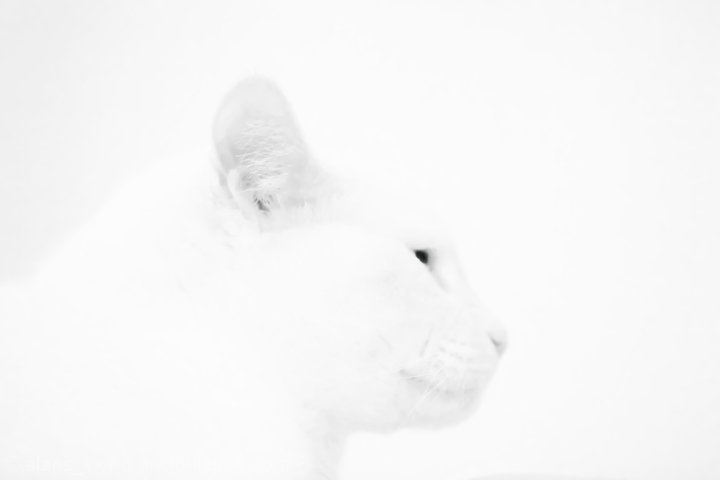
This is the very first photo worked on in CS3
Converted from RAW to TIFF after small shot setting changes.
Sent to Noise Ninja to help with noise from high ISO. Auto profiled.
CS3 adjustment layer- black and white, I played with red and yellow channels to get most of the effect you see here.
Burn tool on eyes.
Back to Noise Ninja for noise on white background.
CS3 slight crop, resize, save for the web using bicubic sharpen.
Thank you Karen for all of your advice.
I hope this gets me out of the 4’s
Alan
Statistics
Place: 255 out of 261 Avg (all users): 4.2500 Avg (commenters): 3.2857 Avg (participants): 4.2018 Avg (non-participants): 4.3085 Views since voting: 949 Views during voting: 431 Votes: 208 Comments: 21 Favorites: 0
Honestly, I thought I was looking at a flea or something from the thumbnail. Maybe my contrast is a wee bit too high. I do like the effect here. A wonderful technique.
I very much like what you're going for here, and on many levels it works quite well. On my work monitor, this is a bit hard to see, but on my home monitor it's quite lovely and the cat is well-defined. I suspect this is the kind of shot that is VERY monitor dependent and that will show up in voting. Gotta love that kind and loving without a camera soul that gave you a 1.... Someday they'll maybe try this and find out just how hard it is to do!
I can appreciate the white-on-white effect you were going for, and it have otherwise made a stunning picture, but your kitty is blown-out a little too much.
The white on white is interesting. For my eyes it is difficult to see, but that not is really not a critism, I just can't seem to focus on what is there.
Awwww! I used to have a beloved cat that looked just like your royal highness. I love LOVE how you did the soft white on white. . . right up my alley. Good luck!




 Add photograph to your favorites
 Add photographer to your favorites


 Photographer found comment helpful.


