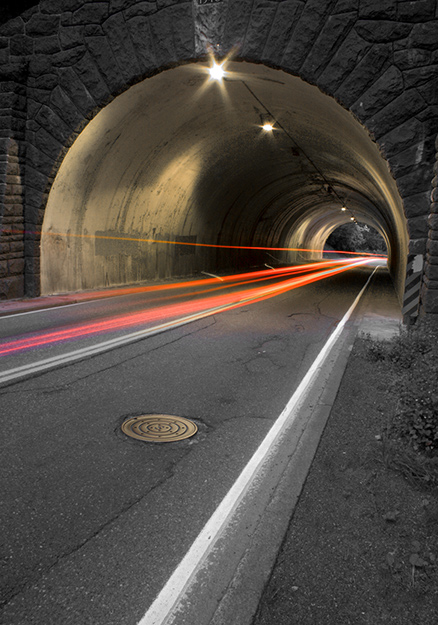
Here are my steps:
1. slight crop
2. adjust tones, contrast, and color balance in camera raw
3. open in photoshop
4. desaturate all levels except red (+15) and magenta (+15)
5. select light trails using color range selection
6. add layer mask of color selection to desaturation layer
7. add contrast layer to boost tones and contrast
8. flatten image
9. save for the web
Surreal! I always like tunnel shots, especially when well done, and I think this one is. Auto trails are 'a dime a dozen' but the combination is rare. You found a good example and ran with it.
Well, I'm here to critique so, recognizing your good score in a difficult challenge, I'll just add this: I wonder what would happen if you boosted the color on the tunnel walls. It's a bit subtle now, but with a little more colorful zing it might really pop.
I'm pleased to have had the opportunity to examine this image more closely.
amazing shot- i love the effects with the lights and the roughness of the walls - very original - a nice change from eyes, flowers, cars, and umbrellas----
Nice idea that was well executed - great perspective and the only negative thing is that I wonder if it would have had more impact if it were just the red lights in color? That's a minor criticism, though, as the decisions you made inarguably produced a wonderful result - good luck!





 Add photograph to your favorites
 Add photographer to your favorites

 Photographer found comment helpful.


