Thanks for all the nice comments. Size problem duly noted. Won't happen again. Thanks for the tutorial suggestion. It sure helps to have these things noted, this was only my second photo submitted.
Back to comment: This image is much smaller than what is allowed for a challenge. The longest side of your image should be 640 pixels. When your image is this small, it is hard to see the details and judge the quality of the image. Because of that, many people will give a low vote and move on without really looking.
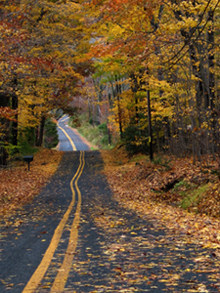
This seems to be an interesting picture, with leading lines and the complementary colour of the lines down the road. However the picture is just to small to be able to judge it properly :-(
You'll probably get lower scores because you photo is so small. Check out the tutorial here//www.dpchallenge.com/tutorial.php?TUTORIAL_ID=26 to learn how to maximize your next one. The tutorial is for Photoshop, but the principles translate well for Paintshop Pro. Someone pointed me to it after I made the same mistake on my first entry. I do like the road leading into the trees...nice leading lines.
Hm, what about sending it in bigger? It is a nice picture, nice how the yellow color stands out in this picture, but it is hard to judge it because of the small size :o)
I'm not sure if this is the web size you wish to use, if you have photoshop you can file save to web, set to 640 pixels on the long side of your image, and reduce or increase your kb to 150 or below, this will give the voter a beter vista of your entry....7





 Add photograph to your favorites
 Add photographer to your favorites


 Photographer found comment helpful.


