PS Work
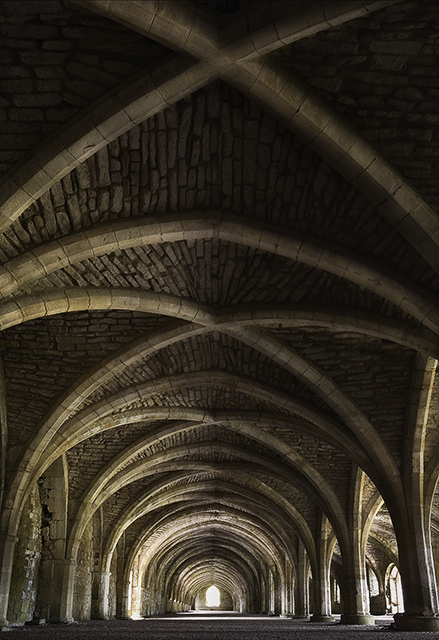
Lots going on here as I wanted to try and recreate a feeling of the sets from the computer games DOOM or QUAKE ....
First of all crop with rotate and perspective to try and lose some of the lens distortion generated by the 16mm snf low angle.
Duplicate the background layer (will come back into play later), but for now deactivate the duplicate.
Apply a levels curve to find black and white points
Add a curves layer to alter the mid-range tone
Adjust the yellow and red channels in selective colour to get rid of the green cast
Dodge and Burn to expose the beams and make the left hand side brighter.
Draganise the image using the drananizer action, only apply the effect at 50% transparancy.
Add Hue/Sat adjustment and check the 'colourise' box, select a hue around 35. Set the mode of this adjustment to Hue
Re-activate the original duplicate layer and bring the layer to the top of the stack. Set transparency to 40%. This gives just a hint of the draganised and toned layer showing through. Apply a mask to this layer and allow draganised layers through in specific locations.
Image resize
Sharpen for web output
Save for web
Statistics
Place: 22 out of 197 Avg (all users): 6.3673 Avg (commenters): 6.7692 Avg (participants): 6.1765 Avg (non-participants): 6.5135 Views since voting: 1130 Views during voting: 304 Votes: 196 Comments: 15 Favorites: 1 (view)





 Add photograph to your favorites
 Add photographer to your favorites


 Photographer found comment helpful.


