| Author | Thread |
|
|
08/18/2008 09:22:56 AM · #1 |
O.K. So I just got a Canon EF 100mm f/2.8 USM Macro (a signed copy courtesy of  idnic!). idnic!).
Here are my first images:

(This guy is about 1mm)

(his body is about 1 1/2mm)
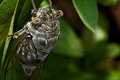
(he is actually quite large - about 3 inches head to wingtip)
And here are some thoughts for searching posterity:
Background
I initially shot macros with a Minolta DiMAGE 7i and Hoya diopter filters. I later moved to the Sigma 70-300mm f/4-5.6 APO DG Macro.
When I first got the 100mm lens I immediately went out and did some test shots. I used the same basic techniques that have proved successful for me in the past. The results were a bit disappointing. Nothing was even close to sharp. So I went out to the web and did some research. I also went through DPC and looked at the top 100mm examples (reading any settings and comments). What I discovered was that this lens shouldn't be stopped all the way down. You already knew that didn't you? Well I didn't. When shooting macros with my sigma I am always at f22/f32 for max DOF - and the images look great. So all of my initial test shots with the 100mm were stopped down. When viewing the excellent examples on DPC, though, I noticed that most of the Canon EF 100mm f/2.8 USM Macro shots were at f11/f18 at most. So I did some more test shots in the f8-f11 range - and got lovely sharp results.
So point1. In my (initial and brief) experience this lens doesn't yield usably sharp images stopped way down. The good news is that it yields quite a bit of DOF even at f11. To get the same amount of DOF out of my Sigma, I would have to stop it much further down.
Next, working distance. Back when I had the Minolta DiMAGE 7i/Hoya diopter setup, I had to kiss everything with my lens. It sucked. When I moved to the Sigma I was thrilled to find myself filling the frame with a dragon fly from about three feet away - excellent! The 100mm moves me closer to my subjects. This can be a problem for the more skittish creatures.
Crop. So far, I find myself having to crop more than I like. With the Sigma I am used to cropping very little. Filling the frame of the 100mm moves you really close to subjects. The top two shots above are severely cropped.
Getting the small stuff in focus. The Sigma simply cannot get good sharp focus on tiny objects it seems. The 100mm is much better. The top image shows that this lens can get great focus on 1mm objects.
So... just a few initial thoughts about the Canon EF 100mm f/2.8 USM Macro. Take it all with a grain of salt. I have used this lens for a total of one day. I am sure that I will get to know it better as I continue to take it out. I look forward to it!
Side note: This weekend I decided to set my 40D's C1 dial option for Macros. What a help! I move the dial to C1 and immediately I am on spot metering, live view, f11, no beep, ISO 100 etc. etc. Just the way I like it for macros! I have just stared using Live view for macro work - and love it. It locks the mirror, and it lets you get a really zoomed image on the screen (which is great for knowing when very slight movements start/stop). It forces manual focus - which is perfectly fine for macro work anyway. It heats the camera quickly in hot sun and it eats your battery though.
Just a few thoughts
Bernard
Message edited by author 2008-08-18 09:23:14. |
|
|
|
08/18/2008 09:28:32 AM · #2 |
next to buy item in ur list
Extension tubes! hehehe
|
|
|
|
08/18/2008 09:30:31 AM · #3 |
Originally posted by Bernard_Marx:
I have just stared using Live view for macro work - and love it. |
I haven't tried this yet ... may do that during my lunch break
:) |
|
|
|
08/18/2008 09:47:06 AM · #4 |
Kris,
It's excellent! Set the menu item to enable live view, and then hit your SET button to lock the mirror. Frame your subject first, then use the joystick to move to the portion of the image you want to zoom. Zoom in and manually focus. Snap. Loved it.
Edit to add. I shot several small spiders this weekend. Watching them in zoomed live-view was great - I noticed that several of them were exhibiting the same behavior - bobbing back and forth - fascinating!
Message edited by author 2008-08-18 09:52:11. |
|
|
|
08/18/2008 09:54:56 AM · #5 |
Ching,
I have never gone the tube route. I am assuming they would increase my working distance. Do you know of any examples of the 100mm+tubes? I'd love to take a look. |
|
|
|
08/18/2008 10:16:39 AM · #6 |
Originally posted by Bernard_Marx:
Ching,
I have never gone the tube route. I am assuming they would increase my working distance. Do you know of any examples of the 100mm+tubes? I'd love to take a look. |
Extensions tubes (like the kenko set) would decrease your working distance, increasing the magnification.
Now, if you're talking about the 1.4x and 2.0x extenders then they may increase your working distance.
|
|
|
|
08/18/2008 10:23:04 AM · #7 |
| Oh, thanks Colette. I (obviously) don't know anything about extensions tubes. |
|
|
|
08/18/2008 10:40:06 AM · #8 |
Ohhhhh so glad you got the kinks worked out! The shots look awesome! I saw your PM over the weekend, but was running around mad so didn't get a chance to respond yet, but have been worried that the lens might have been damaged in shipping. Now I see that its just as sweet as it should be. I hope you enjoy it!
BTW, I used the 85mm with part of my newborn session yesterday. :D
|
|
|
|
08/18/2008 12:19:16 PM · #9 |
Originally posted by Bernard_Marx:
Ching,
I have never gone the tube route. I am assuming they would increase my working distance. Do you know of any examples of the 100mm+tubes? I'd love to take a look. |
nope, don't hv any 100+tube
what bout 150+tube? XD
//lurker.smugmug.com/gallery/5406323_jYyhM#352245498_xMfTD
:)
of course u will need to mod a flash extender too
|
|
|
|
08/18/2008 01:23:35 PM · #10 |
Dude, those are really nice. Thanks for the inspiration! |
|
|
|
08/18/2008 01:36:21 PM · #11 |
| I have been wanting this lense for the longest time! |
|
|
|
08/18/2008 02:20:54 PM · #12 |
| I am sooooooooooooooo jealous!!! |
|
|
|
08/18/2008 09:18:02 PM · #13 |
Originally posted by Bernard_Marx:
Kris,
It's excellent! Set the menu item to enable live view, and then hit your SET button to lock the mirror. Frame your subject first, then use the joystick to move to the portion of the image you want to zoom. Zoom in and manually focus. Snap. Loved it.
Edit to add. I shot several small spiders this weekend. Watching them in zoomed live-view was great - I noticed that several of them were exhibiting the same behavior - bobbing back and forth - fascinating! |
Agreed. The live view is great for macro. |
|
Home -
Challenges -
Community -
League -
Photos -
Cameras -
Lenses -
Learn -
Help -
Terms of Use -
Privacy -
Top ^
DPChallenge, and website content and design, Copyright © 2001-2025 Challenging Technologies, LLC.
All digital photo copyrights belong to the photographers and may not be used without permission.
Current Server Time: 12/27/2025 10:28:40 AM EST.




