| Author | Thread |
|
|
12/12/2007 06:51:58 PM · #1 |
anyone know of any ways to achieve this look - with out a ton of time to work with?
//www.google.com/search?sourceid=navclient&ie=UTF-8&&q=norman+rockwell
|
|
|
|
12/12/2007 07:34:25 PM · #2 |
I like that look too. I've been trying to go that way on some shots but haven't quite got it down. These are maybe the closest I've come:
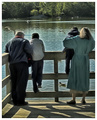 
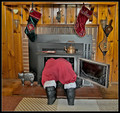 
Shadow/Highlight in CS2 helps.
Message edited by author 2007-12-12 19:48:19. |
|
|
|
12/12/2007 07:46:29 PM · #3 |
I don't know if this is what you're looking for, but I use the program "RAW Shooter Esentials" to process my RAW files. I increase the fill light in that software to get this effect before I even move it to CS2.
[thumb]526027[/thumb] |
|
|
|
12/12/2007 07:50:47 PM · #4 |
|
|
|
12/12/2007 08:25:18 PM · #5 |
| I think the LucisArt filter gets you 75% there in terms of processing. |
|
|
|
12/12/2007 08:44:37 PM · #6 |
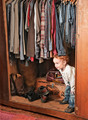
This one looks very Rockwellian to me, and she did neither tonemapping nor Lucis.
I use LucisArt all the time and in combination with a smoother, such as NI or Redfield Perfectum, you can definitely get the Norman Rockwell look down because it accentuates contours and makes it look like a painting. |
|
|
|
12/12/2007 09:13:08 PM · #7 |
Norma Rockwell-esque:

Lighting, shadows, and saturation levels. 5-10 minute edit. |
|
|
|
12/13/2007 06:16:33 PM · #8 |
thanks - i'll try some of these ideas
@ alfresco - what do you mean when you say lighting? do you mean the lighting setup or - adjustments after the fact. i'd be curious of the lighting setup if that's what you're reffering to...
thanks again all.
Message edited by author 2007-12-13 18:16:55.
|
|
Home -
Challenges -
Community -
League -
Photos -
Cameras -
Lenses -
Learn -
Help -
Terms of Use -
Privacy -
Top ^
DPChallenge, and website content and design, Copyright © 2001-2025 Challenging Technologies, LLC.
All digital photo copyrights belong to the photographers and may not be used without permission.
Current Server Time: 12/30/2025 01:49:23 AM EST.




