| Image |
Comment |
| 09/25/2009 11:38:48 PM |
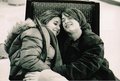
Teaseby shadyscrazyComment: This makes me wonder what is going on. A play, perhaps? A couple of big problems I must mention:
-composition needs some croppping. There is a lot of empty wall space on both sides that does nothing for the image. A tighter crop on the sides would aid.
-Heavy compression is creating visible artifacts outlining both of the people. Compression kills detail. Always use the least compression you can get away with and still come in under challenge limits. Most image editors have that ability to adjust compression somewhere in the file save dialog.
-His pants are falling down. (C'mon, you have to expect that comment from someone over 40) |
| 09/25/2009 11:33:44 PM |
Firenzeby LevTComment: I really like the color treatment here. |
 Photographer found comment helpful. Photographer found comment helpful. |
| 09/25/2009 11:28:17 PM |
The Unexpected hugby ke4ovhComment: Looks like this was taken at a high ISO setting, plus heavy JPEG compression is adding visible pixelation. Your file size is only 35k and you could have used up to 150k for this challenge. Compression kills detail. Always use the least JPEG compression you can get away with and still come in under challenge limits. |
| 09/25/2009 11:25:49 PM |
|
| 09/25/2009 11:25:10 PM |
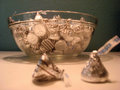
Erin and Kushby SpongetoastComment: It seems a little soft on the detail, so I looked at the file size. There is some excessive JPEG compression taking away some detail, and visible artifacts on the faces. Your file size is only 42k and you could have used up to 150k for this challenge. Compression kills detail. Always use the least compression you can get away with and still come in under challenge limits. |
| 09/25/2009 11:23:24 PM |
|
| 09/25/2009 11:22:50 PM |
Wet Kissby browda1Comment: Very cute, but the close up, forward facing flash is a problem for this image. If you have a pop up or externally mounted flash, there are a few things that can be done to diffuse or bounce the light. |
| Photographer found comment helpful. |
| 09/25/2009 11:20:46 PM |
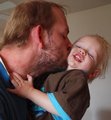
Aww geez, Daddy!by ahjennyComment: Though cute and endearing, this appears to be a snapshot to me, I'm afraid. There is also excessive JPEG compression used, and the result is a lack of clarity and highly visible compression artifacts around the boy's mouth and teeth. Compression kills detail. Always use the least compression you can get away with and still come in under challenge limits. (This entry is 43k and the challenge limit is 150k) Most image editors have that ability to adjust compression somewhere in the file save dialog. |
| Photographer found comment helpful. |
| 09/25/2009 11:16:47 PM |
|
| Photographer found comment helpful. |
| 09/25/2009 11:15:45 PM |
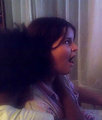
xoby mfreealohaComment: I think this has some potential that could be brought out. White balance could use some adjustments is the first thing that strikes me. I think some other common tweaks such as curves, saturation contrast and sharpening would also help. In fact, I copied this into PaintShop Pro to see, and those adjustments did bring it up a notch. |
Home -
Challenges -
Community -
League -
Photos -
Cameras -
Lenses -
Learn -
Help -
Terms of Use -
Privacy -
Top ^
DPChallenge, and website content and design, Copyright © 2001-2026 Challenging Technologies, LLC.
All digital photo copyrights belong to the photographers and may not be used without permission.
Current Server Time: 08/20/2026 02:52:44 AM EDT.