| Image |
Comment |
| 01/31/2007 12:18:22 AM |
|
 Photographer found comment helpful. Photographer found comment helpful. |
| 01/31/2007 12:16:15 AM |
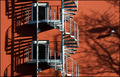
Emergency exit by MelethiaComment: Oh no you di' int! Whoohoo! Congrats Deb! Fantastic job. great eye. CONGRATS and CONGRATS! :D |
| Photographer found comment helpful. |
| 01/31/2007 12:13:15 AM |
|
| 01/30/2007 08:51:18 PM |
Remembering Albertby TCGuruComment: If it's any consolation (or just to change the subject), you did a fine job on the picture! :)
Time heals. ...eventually. |
| Photographer found comment helpful. |
| 01/30/2007 03:13:06 AM |
|
| Photographer found comment helpful. |
| 01/30/2007 03:11:07 AM |
Onzeby cryingdragonComment: See now that didn't hurt a bit, did it? :) I'm glad you did it, Mike! It doesn't take that much effort and sometimes you will come up with something more creative than on a day you spent hours on ideas.
Hang in there! Hope your week gets better. |
| Photographer found comment helpful. |
| 01/30/2007 03:06:05 AM |
Day-23-- Orwellianby JutildaComment: You spoiled my "Attack of the 50 foot woman" movie idea for Day 25! :P
Man, Judy, your thumb images at a glance are deceiving - I swore you had like a space helmet on. Must be my eyes going bad.
Very cool effect! All those silly little people milling about. Completely unaware. :) Great stuff! |
| Photographer found comment helpful. |
| 01/30/2007 02:59:17 AM |
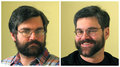
Portrait with 2 lights round 2 :)by TCGuruComment: NeatImage? Really? Hadn't noticed. LOL - just ribbin ya. Maybe a tad too much. Here's a tip you may or may not know - after applying NI (or any filter for that matter), immediately hit CTRL+SHIFT+F that will bring up the fade filter box and you can tweak down the opacity of the effect. You can also CTRL+Z (undo) and then set your history brush marker to the NI step in the history panel (one ahead of where you are when after undo) and then set the history brush to 30-50% and "paint" the NI effect in just the areas you want, going over it a couple times if necessary to get it back to the full NI effect in those areas. Conversely, you can NI, then set the history brush to one step before NI and "unpaint" the NI effect in areas you want to remove some. The history brush is your friend. :) Hope this helps. |
| Photographer found comment helpful. |
| 01/30/2007 02:53:30 AM |
Portrait with 2 lightsby TCGuruComment: Tooooo much light on the right (your left) - shows too much wrinkles in the background and casts a weird hot spot on your face. Need to even it out a bit I think. |
| Photographer found comment helpful. |
| 01/30/2007 02:51:41 AM |
Portrait with single lightby TCGuruComment: OKAY! I am seeing some serious improvement with the use of the lighting equipment from the last ones I saw. This is really excellent! |
| Photographer found comment helpful. |
Home -
Challenges -
Community -
League -
Photos -
Cameras -
Lenses -
Learn -
Help -
Terms of Use -
Privacy -
Top ^
DPChallenge, and website content and design, Copyright © 2001-2026 Challenging Technologies, LLC.
All digital photo copyrights belong to the photographers and may not be used without permission.
Current Server Time: 05/11/2026 04:43:19 PM EDT.