| Image |
Comment |
| 04/24/2007 05:49:32 AM |
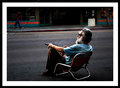
My Girlby MarioAngelComment: Just a tip on color correction that never seems to be widely known:
In CS2 (which you have) Image, Adjustments, Match Color, click the Neutralize box, and in the case of this shot, slide the fade to the right a bit, and adjust the luminosity to suit. It will get the colors much closer to real without having to know a lot about PS. |
 Photographer found comment helpful. Photographer found comment helpful. |
| 04/20/2007 02:07:07 AM |
|
| 04/18/2007 11:26:15 PM |
Retirementby BradComment: I filled the drop shadow, but in regards to the watermark - nope.
Watermarks will stay, and one by one, added them to ALL my images.
|
| 04/18/2007 05:55:37 PM |
Competitionby GabrielComment: I'm thinking the 6 x 6" glossy print is a bargain at a mere 0.60¢
lol |
| Photographer found comment helpful. |
| 04/18/2007 02:55:29 PM |
The End of an Eraby ArtysteComment: Thank you for sharing this.
It's been heart warming watching Megan's journey here on DPC. |
| Photographer found comment helpful. |
| 04/18/2007 02:51:15 PM |
|
| Photographer found comment helpful. |
| 04/17/2007 08:50:00 PM |
|
| Photographer found comment helpful. |
| 04/17/2007 03:40:59 PM |
|
| Photographer found comment helpful. |
| 04/17/2007 02:19:41 PM |
|
| Photographer found comment helpful. |
| 04/17/2007 01:09:08 PM |
|
| Photographer found comment helpful. |
Home -
Challenges -
Community -
League -
Photos -
Cameras -
Lenses -
Learn -
Help -
Terms of Use -
Privacy -
Top ^
DPChallenge, and website content and design, Copyright © 2001-2026 Challenging Technologies, LLC.
All digital photo copyrights belong to the photographers and may not be used without permission.
Current Server Time: 07/26/2026 11:56:44 AM EDT.