DPChallenge: A Digital Photography Contest You are not logged in. (log in or register
 
Browse Settings
Currently viewing:
MemberKodak

Show comments:

Per page:

Order:

Comments:


Comments Made by Kodak
Pages:   ... [116]
Showing 21 - 30 of ~1158
Image Comment
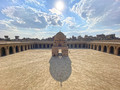
Wall Flowers
04/26/2022 12:26:01 PM
Wall Flowers2nd Place
by grahamgator

Comment:
Wonderfull shot, perhaps a tighter crop on the center shadows, its like two pictures one on the left and one on the right. Good Luck
Photographer found comment helpful.
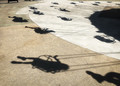
The Straight Shadow
04/26/2022 12:22:05 PM
The Straight Shadow
by Aliaa

Comment:
a little over exposed for me. Very expansive. Good Luck.
Photographer found comment helpful.
Amusement
04/26/2022 12:20:40 PM
Amusement3rd Place
by Ristyz

Comment:
I can see them spinning. Good Luck
Photographer found comment helpful.
Perfect landing
04/26/2022 12:20:01 PM
Perfect landing
by docjonny

Comment:
Great Shot. Good Luck
Photographer found comment helpful.
In the shadows of skyscrapers
04/26/2022 12:18:45 PM
In the shadows of skyscrapers1st Place
by markwiley

Comment:
Exciting and impactful. One of my top 3
Photographer found comment helpful.
Memories
04/26/2022 12:17:33 PM
Memories
by JustinM

Comment:
Very appropriate for the challenge. One of my top 3
Photographer found comment helpful.
Twirl
04/20/2022 09:41:28 AM
Twirl2nd Place
by Kodak

Comment:
Thank you all for the votes. My first time finishing in the top 3. Needless to say I am very happy, I have always been so impressed with the artist ability of everyone on the site. This image was created using Photoshop filters. I will list them below.

Convert Image to Smart Object

Applied the Mezzotint Filter set to Pixelate Choosing Long Strokes
Apply Radial Blur Filter set to zoom, Apply this filter 3 times to get a clean image.
Apply Twirl Filter set to Distort, Twirl. Apply desired amount of effect.

Duplicate Smart Object

Apply Twirl Filter set to Distort, Twirl.
Apply desired negative amount of effect to match the Original Smart Object. The Duplicate is now swirling in the opposite direction.

Blend both Smart Objects by using the Layer Blend Mode.
Set mode to Normal and use Darken or Lighten or Pin Light, I use Darken. I experimented with this.

There was a lot of work to do that I am leaving out such as the original image was too large to process fast enough so I worked with reduced copies and upscaled when I was completed.

I know this may not be enough information but it is readily availabel.

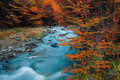
Autumn
04/18/2022 09:11:46 PM
Autumn2nd Place
by JustinM

Comment:
I love this photo, but I wonder if the long exposure compromised the over all total sharpness of focus. Great job in any event.
Photographer found comment helpful.
City view
04/18/2022 09:10:12 PM
City view
by hajeka

Comment:
Another well done, with great color and DOF.
Photographer found comment helpful.

Ticket to Ride
04/18/2022 09:09:06 PM
Ticket to Ride
by jcar

Comment:
This was in my best 3 for overall sharpness of focus. I gave a 9
Photographer found comment helpful.
Pages:   ... [116]
Showing 21 - 30 of ~1158


Home - Challenges - Community - League - Photos - Cameras - Lenses - Learn - Help - Terms of Use - Privacy - Top ^
DPChallenge, and website content and design, Copyright © 2001-2026 Challenging Technologies, LLC.
All digital photo copyrights belong to the photographers and may not be used without permission.
Current Server Time: 04/02/2026 07:49:09 AM EDT.