| Image |
Comment |
| 05/21/2008 03:03:40 PM |
|
 Photographer found comment helpful. Photographer found comment helpful. |
| 05/21/2008 02:54:33 PM |
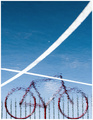
Floating Bikeby h2Comment: That's why i loved this image! I had already fav'd the previous version. |
| Photographer found comment helpful. |
| 05/21/2008 03:19:56 AM |
|
| Photographer found comment helpful. |
| 05/21/2008 02:48:57 AM |
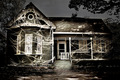
The Haunted House by Dirt_DiverComment: this is a fine fine example of extraordinary photoshop work to transform a photo into something of higher value. Great edit. |
| Photographer found comment helpful. |
| 05/21/2008 02:24:36 AM |
Turbulentby KenComment: the sky and those red linings around the clouds near the sun are just out of this world, stellar shot. |
| Photographer found comment helpful. |
| 05/21/2008 02:22:02 AM |
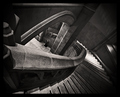
Stairs Twisting Unusuallyby robaComment: This is a perfect composition, the lines lead the viewer around the image and back into each other again, very awesome. Congrats on the top 10 |
| Photographer found comment helpful. |
| 05/20/2008 02:18:06 AM |
Roxanna 2by Jason_CrossComment: i just can't believe the difference in the before and after shots, nice job |
| Photographer found comment helpful. |
| 05/19/2008 01:45:04 PM |
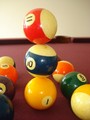
Shootin Poolby PhotoqueenComment: yeah you have to fix your colors here. An easy way to get started is to set the 'true black', and 'true white' points of the image.
Try this: In Photoshop, click on adjustments > levels. Then you'll see these little eye-droppers looking things. One is for black, one for gray, and one for white. Lets forget about the gray one for now. Click on the white eye-dropper, and then click on the whitest white part of your image, this tool will make that pixel absolute white, and will adjust all of the other colors accordingly. So play around with it, here it will likely be the reflection on one of the pool balls. So with the white eye dropper, click on that reflection. The colors will shift. Then do the same with the black eye dropper, use it to click on the black numbering on one of the balls. Again, the colors will shift, and you will be on your way to getting rid of that unflattering yellow light you have going on in this image. You'll be amazed at how much this can transform your image! Get back to me if I haven't explained this in sufficient detail or if its confusing, good luck! |
| Photographer found comment helpful. |
| 05/19/2008 01:55:41 AM |
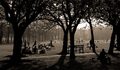
Questionable Recreational Surveillanceby SiggavComment: I gave this a 9, definitely reminded me of your 'early morning light' shot which I had fav'd, although I didn't completely remember the image at the time. Beautiful light here. I know its a tiny detail, but I think if the single man walking to the right of the bench was isolated from the tree the composition of the pic would be more balanced. Lovely editing |
| Photographer found comment helpful. |
| 05/19/2008 12:44:21 AM |
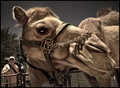
A Big Camelby yankoComment: Congrats on the top 10, I really enjoyed this distinct and unique shot. What a great expression and angle. I dont know what to say about the woman. I feel bad, but part of me wants to laugh, I like how she is simultaneously taking a pic with her camera phone, and she adds some balance to the composition. But in the end she feels somewhat like a non-sequitur, i dont know what to make of it! Hah, congrats again |
| Photographer found comment helpful. |
Home -
Challenges -
Community -
League -
Photos -
Cameras -
Lenses -
Learn -
Help -
Terms of Use -
Privacy -
Top ^
DPChallenge, and website content and design, Copyright © 2001-2025 Challenging Technologies, LLC.
All digital photo copyrights belong to the photographers and may not be used without permission.
Current Server Time: 12/21/2025 07:45:37 PM EST.