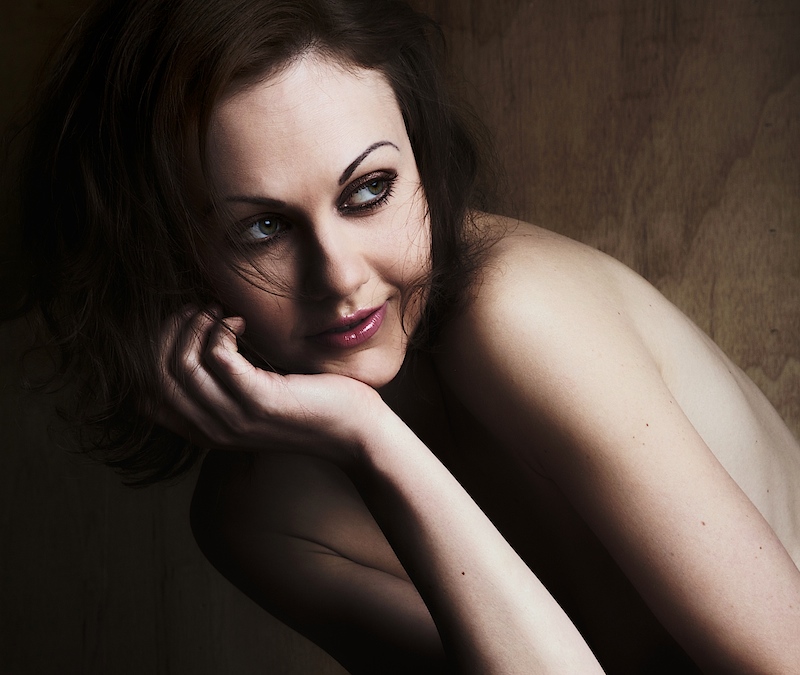
I edited this image in about 30 seconds - mastering the local contrast slider and making sure you manipulate the highlight and shadow recovery sliders is the secret to getting the most out of this plug-in.
Lowering local contrast does a great job of skin softening, without having to use a separate filter.
Here are my settings:
Brightness +63%
Saturation 36%
Global contrast +23%
Local Contrast -47%
Shadows 90% recovered
Highlights Fully recovered
Effect removed with control points from hair and irises
Effect Partially removed from forearm
Constraining (positive) control points placed on cheek nose and forehead
Statistics
Place: 6 out of 65 Avg (all users): 7.2123 Avg (commenters): 8.4444 Avg (participants): 6.5185 Avg (non-participants): 7.3697 Views since voting: 3796 Views during voting: 395 Votes: 146 Comments: 13 Favorites: 11 (view)
Holy smokes, this is great. Wish the catch light in her left (our right) were the same, but that's just a nitpick observation. WOW - the use of shadow is delicious. I love it.









 Add photograph to your favorites
 Add photographer to your favorites

 Photographer found comment helpful.


