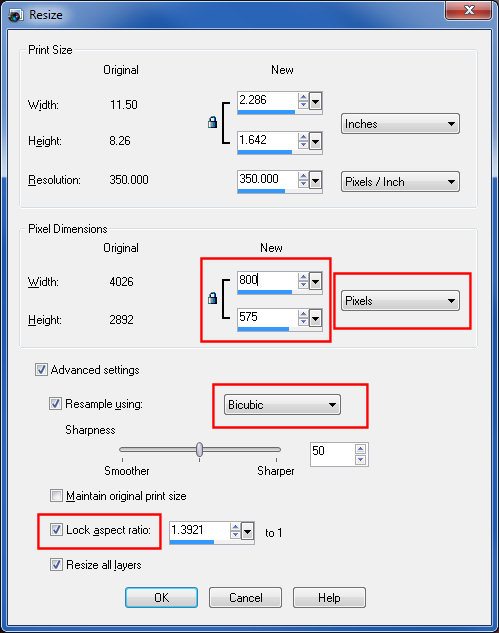
-Check the highlighted boxes in the resize dialog and make sure that Pixels is selected. (If you accidentally select Percentage, the program may give you a warning about excessive memory usage for the chosen operation when you click OK.)
-Set the resampling method. I find "Bicubic" to work best, providing the sharpest result with best detail.
-Make sure "Lock aspect ratio" is checked.
-Set the longer edge to the desired final size. In this example I am resizing to 800 pixels for a challenge entry.




 Add photograph to your favorites
 Add photographer to your favorites