The result of a couple spiced rums...not even sure how I did part of this; when I went to check the history log I discovered that I did not have it set to 'detailed' -- doh!
The gallery I have my jewelry and images in had their one year anniversary open house Friday night. I was the only person who thought to bring a camera (and the gallery is full of photographers). Too bad they are not going to get many normal images from me... :-)
Started with regular image.
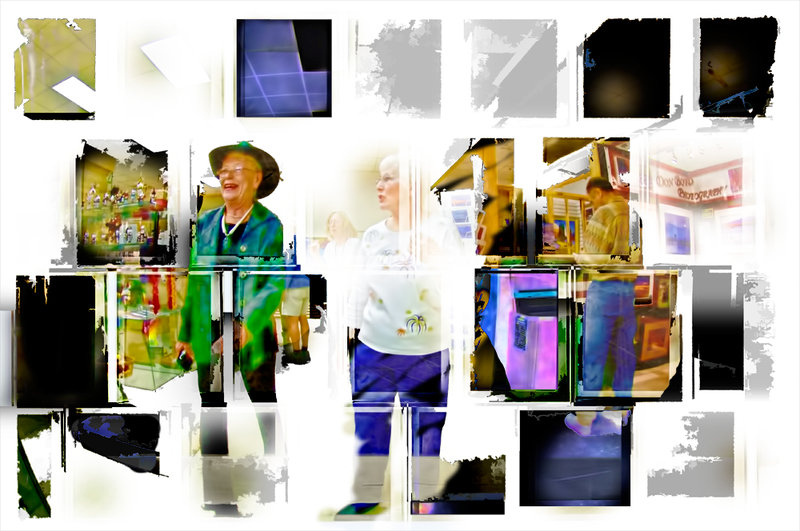
Ran some Topaz Adjust and Nik Color Efex pro filters to add odd colors, increase tonal contrast and brighten it. Made this busy overlay
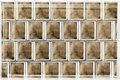
put it in in screen blending mode. Then put the large single version of the layer in lighten mode.
Did the 'create new layer from visible layers' thing, the keyboard shortcut is ctrl+alt+shift+e (I use this a lot). Adjusted levels, then ran Topaz DeNoise as high as it would go to totally smooth everything out. It is at this point I'm not sure what I did to get this
...but I think maybe Topaz Simplify was involved.
Added it in linear burn blending mode, and masked some parts out. Added it again in normal mode and masked some parts out. Finally, added it again in difference blending mode, and masked most of it out. Voila, something I've never done with overlays before...
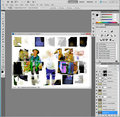
Here's a print screen so you can kinda see how I work
Wow. I like this idea very much, and the result too. It's the same story as the original picture, but presented a lot better than the original "snap" was.
Really different and just stunning. Thanks for sharing the approximate how-to and the definite inspiration to \"try\" other stuff... and spiced rum too :D




 Add photograph to your favorites
 Add photographer to your favorites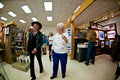


 Photographer found comment helpful.


