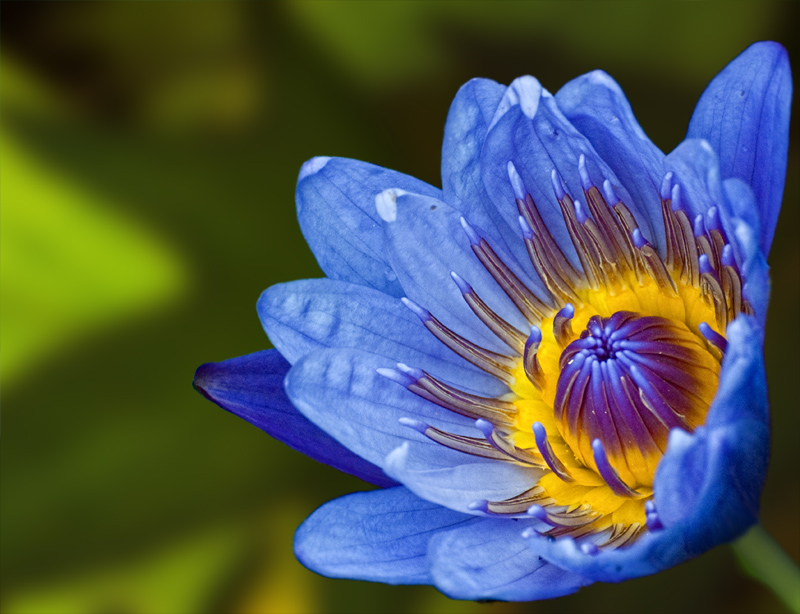
Extract Flower from photo using Remask2.0, rotate
Applied Topaz Detail2.0
Creative Detail Preset
Decreased Small Detail to .18
Increased Saturation to .06
“Squiggle blurred” the edge of the flower using the smudge tool (this works best with a tablet but you can do it with a mouse- you start smudging but do quick squiggles back and forth perpendicular to the edge while progressing along it.
Imported leaves background from //www.flickr.com/photos/cobalt/140340903/sizes/o/
Nik Color Efex Pro
Low Key
Add glow 86%
Saturation 0
Effect Strength 75%
Gaussian Blur 66.4 pixels
I also destroyed the details using Topaz Detail, but don’t have the settings. Almost the far left on everything though, and didn’t touch color settings
Imported Stem from //www.flickr.com/photos/ecstaticist/1550925528/sizes/o/
Dodged the stem some
Original by Ja-9 I found the source photos using the creative commons search option and for photos to modify and build upon, so yes they are legal to chop up and use.




 Add photograph to your favorites
 Add photographer to your favorites
