PS Elements 5.0
RAW Conversion
Level Horizon with Straighten Tool
Crop
Unsharp Mask, 100 / 7.0 / 10
Adjust Lighting – Levels, 7 / 1.00 / 239
Adjust Lighting – Shadows/Highlights 0 / 6 / 0
Adjust Color – Hue/Saturation, Master +20
Add Border, Resize Canvas
Save for Web
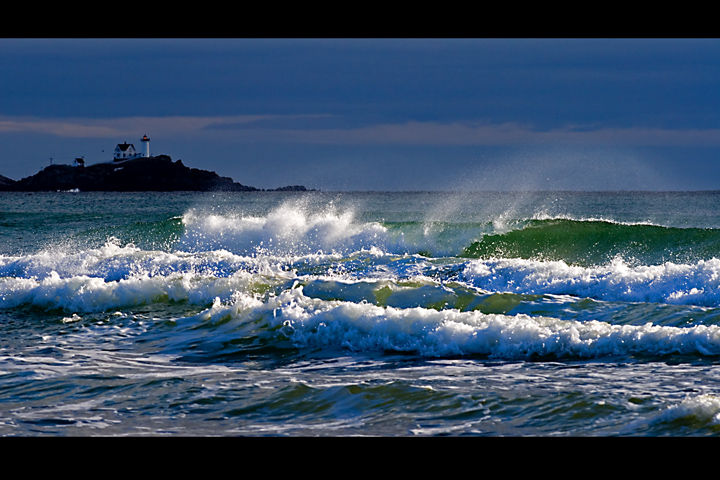
Re-edit: Used shadows higlights to knock down the highlights a bit more on the wave tops. I also cloned the signal in the lighthouse from another shot taken at nearly the same time (Nubble's characteristics are red light 3 seconds on / 3 seconds off)
A great shot. I love the spray coming off the waves in this.
A few little things maybe with the composition. I would have preferred (yes, I am being picky now, but thats what this is for) that the lighthouse is closer to the third line. I do not know the area (ie what is to the left) but either through a slight angle change, or a slight crop change, it would then have made it more of a focus by occupying that space. At the moment, being far left, it seems a little bot of an afterthought.
Not sure whether the Red light adds or not. I know you said it flashes Red, but as its the only red in the picture, not sure it was needed........
I am a fan of panoramic photography, however i think the border does work here. The lighting in the waves is magnificant. A brilliant photo
I do like the improvement...and thank you for listing your PP notes...(I really use those to look at your pictures and see what you did...) you have an excellent shot...and I like the "signal"....makes the lighthouse "stand out" more...my eyes are drawn first to the waves then to the light...nice touch
This is very nice, I like all the elements in it but I think you might have oversharpened it a little. You can see it in the waves where the sun is reflecting off them and it was actually the first thing that caught my eye (and thus became all I could focus on in that annoying way that happens).
Great landscape shot though, can very much visualise it hanging on a wall.




 Add photograph to your favorites
 Add photographer to your favorites


 Photographer found comment helpful.


