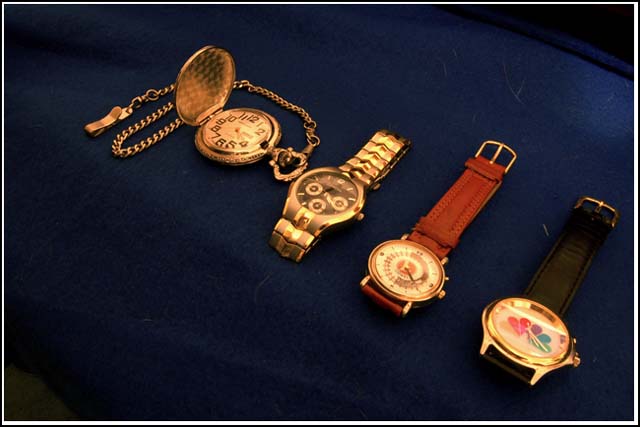
I think the white balance may be a little too yellow, and It seems a little soft on the detail, so I looked at the file size. I think there may be some excessive JPEG compression taking away some detail. Your file size is only 62k and you could have used up to 150k for this challenge. Compression kills detail. Always use the least compression you can get away with an still come in under challenge limits. Most image editors have that ability to adjust compression somewhere in the file save dialog. Here is how it works in Paintshop Pro, along with more explanation of compression, if is is of any help:
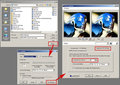
I tried some quick adjustments on a copy of this in my image editor, and I think some curves, white balance and sharpening can help it some, but the composition still seems off balance to me and does not lead my eye in any way. |






 Add photograph to your favorites
 Add photographer to your favorites


