Challenge: Sepia (Basic Editing)
Camera: Konica Minolta Maxxum 7D
Lens: Sigma 75-200mm f/2.8-3.5 for Minolta
Location: My Backyard, Houston, TX
Date: Apr 25, 2008
Aperture: f/4.5
ISO: 100
Shutter: 1/80
Galleries: Vintage, Portraiture
Date Uploaded: Apr 29, 2008
|
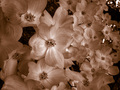
This was a tough shot and my model was very patient. Knowing that this was a basic challenge and I wanted to go for a really soft look, I increased the sharpness setting in the camera so that I could use neat image to smooth it a great deal and still retain some detail in the lines. Used a flash to provide catch lights. I would've liked to lighten the darkness under the eyes.
Jpg file, crop, NI, NI + Sharpen, Sharpen Edges, Levels, NI, Grayscale, Duotone (K + PANTONE 128 C), back to RGB, Variations (add yellow/lighten), resize, NI + Sharpen, Fade NI, Levels (to set black), USM (300/.5), Fade USM, USM (60,40), Fade USM
I hope all that is legal.
I got the idea from an Isabel Allende novel titled Portrait in Sepia.
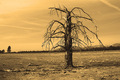
Post-Challenge: I got a lot of feedback that this was more green than sepia and that is why a number of people voted it love. Below is another version that I did with Lightroom, but since the LR Sepia mode adds a vignette, this version would've been DQ-ed.
 |






 Add photograph to your favorites
 Add photographer to your favorites


 Photographer found comment helpful.


