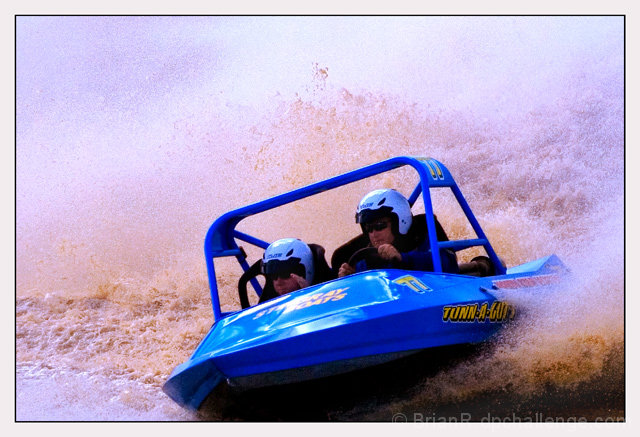
In Photoshop CS2, I took the image above, and did the following:
Open
Image, Adjustments, Match color, clicked Neutralize, slid the color intensity left to 80.
Image, adjustments, Shadow/Highlight, Shadows to 20, Highlights to 10.
Image, Adjustments, Levels, Click Options, Shadows box at 0.5, Highlights box at 0.5 (my defaults), Click OK.
Done.
Real simple adjustments can have a huge effect:
------- Before ---------- & ----------- After -----------
(open each in a new window & switch between them in the task bar to see changes)
Great action shot! Wish the faces were brought out a bit more, and if you need some tips on how to process that, send me a PM during or after the challenge.






 Add photograph to your favorites
 Add photographer to your favorites


 Photographer found comment helpful.


