DPChallenge: A Digital Photography Contest You are not logged in. (log in or register
 
Challenge Entries
This image is not a part of any challenge.
Portfolio Images
This image is not part of a public portfolio.
ripple.jpg
ripple.jpg
Artan


Photograph Information Photographer's Comments
Date Uploaded: Mar 27, 2006

Viewed: 243
Comments: 0
Favorites: 0

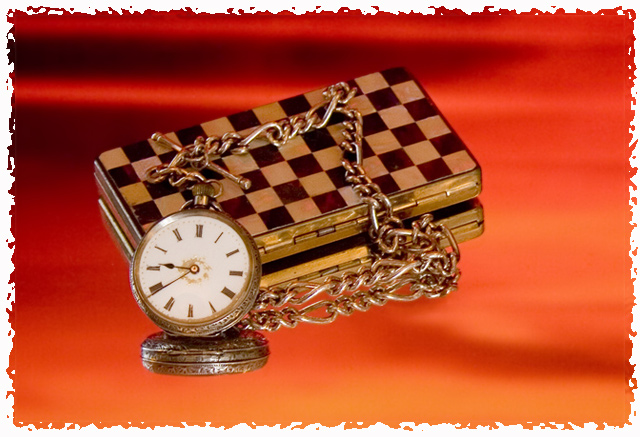
Demo on creating a boarder
Have a DPC sized Image of 610 pixels on longest edge in a flattened state and no boarder.
* Duplicate to create new layer and ensure this is on top.
* Increase canvas size of original layer by 30 pixels on both height and with your rectangular marquee tool drag a rectangle around the whole image.
* Using “Edit”, “Stroke”, create a boarder on the original layer of width 15 pixels to any colour you wish.
* Whist still on the original layer select “Filters”, “Distort”, “Ocean Ripple”.
Ripple Size = 5
Ripple Magnitude = 7
Then select OK
The top layer masks the ripple effect across the whole image, and you should now have a ragged edge displayed on the on the bottom layer, and an image 640 on its longest side.

Please log in or register to add your comments!


There are no comments here yet. Be the first to add yours!


Home - Challenges - Community - League - Photos - Cameras - Lenses - Learn - Help - Terms of Use - Privacy - Top ^
DPChallenge, and website content and design, Copyright © 2001-2025 Challenging Technologies, LLC.
All digital photo copyrights belong to the photographers and may not be used without permission.
Current Server Time: 12/29/2025 11:39:42 PM EST.