| Author | Thread |
|
|
10/23/2009 08:32:02 AM · #1 |
Add any of your own that are "essential" or useful for a new install of Win7. (I thought I'd make this a separate thread so the tips don't get buried in the mix of discussion of the Win7 release and parties.)
Here's the most important one I've found:
I find with around 35 programs I run frquently, the "pin to the taskbar" design isn't sufficient. I immediately missed the previous quick launch toolbar. So here's how to restore it.
1) Right-click on the taskbar, select Toolbars and click New Toolbar. Then type in the following folder location:
%AppData%\Microsoft\Internet Explorer\Quick Launch.
Then click the Select Folder button. Now you can move the toolbar to the desired location.
2) Optional: Remove the Quick Launch label by right-clicking on it and selecting Show Title. Click Show Text to remove the shortcut names.
3) Optional: In order to adjust the toolbar's position or size, you need to unlock the taskbar first. Right-click on it and deselect the lock option.
|
|
|
|
10/23/2009 08:51:27 AM · #2 |
How to install Win7 from a USB flash drive. (The command prompt is your friend)
I did this last night to put Win7 on a netbook, and it works like charm. |
|
|
|
10/23/2009 09:20:29 AM · #3 |
| Install it on a Mac so you can still run OS X |
|
|
|
10/23/2009 09:27:59 AM · #4 |
Microsoft Removed the Vista Stock gadget from Windows 7. :(
Fortunately, I found an even better one, which will display more stocks at once.
And I love the way you can put the gadgets anywhere now...much better than the Vista sidebar.

|
|
|
|
10/23/2009 10:27:32 AM · #5 |
QT Tab Bar gives you tabs in your file manager, just like web browsers have. You can copy and move files by dragging between tabs. You can easily open a new tab by dragging a shortcut or folder onto the tab bar. If you miss the "Up folder" button from XP this offers a similar feature. Navigate up one folder level by double clicking the tab. It also works with Vista and XP. I've found it incredibly convenient.
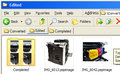
Update: QT Tab Bar does not work properly with Win7. Don't know why, but when I ran into problems I checked the forums on the makers site, and others are reporting the same issue. Maybe they will update it soon.
Message edited by author 2009-11-05 11:14:30. |
|
|
|
11/05/2009 10:47:25 AM · #6 |
And the one I've been waiting 1 year for (applies to Vista as well):
To fix the preview of PDFs from 64 bit explorer, which has never worked in Vista or Win7....drum roll...
A simple registry fix.
Where the hell have you been on this Adobe?
Note, as reported here, if you want to see .NEF thumbnail previews under 64 bit explorer for free rather than buying the one from ardfry, simply install this pretty cool free picture viewer (it's also a very fast way to get large previews of your photos after a shoot, beats the hell out of Lightroom for deciding which shots to keep!). I originally found it mentioned in a blog, installed it, and didn't even realize that it had fixed my thumbnail preview issues until about a week later. And I didn't think to mention it here until jrtodd posted, and then it was a moot point! But I want to reference it in this thread).
FastPictureViewer
If you just want the codec, it's here (I think you need to install this even if you install the fastpictureviewer software, anyway):
FastPictureViewerRaw Codecs
Where the hell have you been on this Nikon?
|
|
Home -
Challenges -
Community -
League -
Photos -
Cameras -
Lenses -
Learn -
Help -
Terms of Use -
Privacy -
Top ^
DPChallenge, and website content and design, Copyright © 2001-2026 Challenging Technologies, LLC.
All digital photo copyrights belong to the photographers and may not be used without permission.
Current Server Time: 05/09/2026 01:11:41 PM EDT.




