| Author | Thread |
|
|
06/11/2008 11:26:04 PM · #1 |
| is this program worth the money they ask for? |
|
|
|
06/12/2008 12:37:35 AM · #2 |
Never used it cuz I'm cheap, but have you tried Noiseware Community Edition Standalone 2.6? (at the bottom of that page)
It doesn't have the options that paid ones have, of course, but for free it's handy :) |
|
|
|
06/12/2008 12:51:27 AM · #3 |
I have and use Noise NInja. Well worth the money IMHO. But your needs may be different then mine. I routinely shoot 3200 and 6400 ISO.
Matt |
|
|
|
06/12/2008 03:06:59 AM · #4 |
I tried a few different ones, including neatimage, noise ninja and a couple of others whose names I've forgotten and personally I found noise ninja the best and easiest to change the settings. I bought it and have found it well worth the money IMHO
eta IIRC Noiseware is only free for use on images less than 1024*768, which is fine for DPC :) I remember I found this not far off noise ninja so well worth trying out
Message edited by author 2008-06-12 03:13:40. |
|
|
|
06/12/2008 03:28:48 AM · #5 |
GREYCstoration is free and gives excellent results. If you use it as a GIMP plugin it is quite easy too. The standalone version is a command-line utility and more difficult to figure out.
//cimg.sourceforge.net/greycstoration/ |
|
|
|
06/12/2008 04:37:21 AM · #6 |
I bought NoiseNinja a couple of years ago. It's very good. I used it for one set of photos, and never used it since. :) I will spend hours editing in Paint-Shop-Pro, but almost never run noise reduction. For the very occasional shot where noise is an issue, I'm more than happy with the built-in noise reduction in PSP. There's a few tricks with the built-in NR to get the best results, and I'm happy with that. Standalone NN is too much work to bother. (It's supposed to work as a plug-in, but I was never able to get that working)
Message edited by author 2008-06-12 04:38:25. |
|
|
|
06/12/2008 04:45:09 AM · #7 |
Originally posted by surfdabbler:
Standalone NN is too much work to bother. (It's supposed to work as a plug-in, but I was never able to get that working) |
I use CS2 and CS3 and both work with the plugin. Out of interest I have Paint shop pro 6 and went to File -> Preferences -> Plug In Filters and just browsed to the dir where I have Noise Ninja : C:\Program Files\Adobe\Adobe Photoshop CS3\Plug-Ins\NoiseNinjaPlugin_Win32\ under folder 2 and I have all 4 tick boxes ticked and now it appears under Image -> Plugin Filters and runs the same as in Photoshop. I have version 2.2.0b of Noise Ninja Plug-In |
|
|
|
06/12/2008 07:23:21 AM · #8 |
yeah i think so.
I bought the 'pro' version or whatever it is called so that i can use it as a plug in for photoshop. I attached it to an action key so whenever i press F2 it runs the noise ninja script on a seperate layer. Very handy and effective.
|
|
|
|
06/12/2008 08:56:00 AM · #9 |
NN is a useful tool which allows good control. A worthwhile buy for me.
Message edited by author 2008-06-12 10:08:56. |
|
|
|
06/12/2008 09:30:55 AM · #10 |
and just a note - it is great if you have it so you can use it as an action in photoshop. It is generally important to apply noise ninja to only part of the image. If you apply it to things like grass or trees they loose ALL detail. Noise reduction generally only needs to be done on solid surfaces.
|
|
|
|
06/12/2008 10:12:36 AM · #11 |
I have found that NN does a pretty decent job in selecting the areas for detail control without having to use masking...it tends to smooth the smooth and sharpen the sharp.
Originally posted by leaf:
and just a note - it is great if you have it so you can use it as an action in photoshop. It is generally important to apply noise ninja to only part of the image. If you apply it to things like grass or trees they loose ALL detail. Noise reduction generally only needs to be done on solid surfaces. |
|
|
|
|
06/12/2008 10:15:33 AM · #12 |
| It's the only commercial filter I own. 'Nuff said. |
|
|
|
06/12/2008 10:17:22 AM · #13 |
|
|
|
06/12/2008 10:25:52 AM · #14 |
| I downloaded the NN plug-in to try, I must be stupid, I cannot get a good result out of it. And in several cases it actually increased the noise :/ |
|
|
|
06/12/2008 10:26:41 AM · #15 |
I like it. I find that sharpening is also good in NN ... and the contrast works well too ΓΆ€“ in a different way than Photoshop's Brightness/contrast which tends to function more globally, Noise ninja's contrast works in smaller areas and causes a different effect that can be quite useful.
On the other hand, if you are using Photoshop and want to save the money, the "reduce Noise" featured isn't that bad if you use it selectively. |
|
|
|
06/12/2008 10:27:27 AM · #16 |
Originally posted by togtog:
I downloaded the NN plug-in to try, I must be stupid, I cannot get a good result out of it. And in several cases it actually increased the noise :/ |
Hit "Profile Image," then adjust the color and luminosity strength sliders to about -4 and hit "Remove Noise." That should do it. |
|
|
|
06/12/2008 10:34:42 AM · #17 |
Hahaha, told you I was stuuuupid. I never hit Profile Image, that alone fixed 99% of the issue xD *hugs scalvert*
Btw my sliders all go from 0 to 20 and start at 10, is -4 0-4 or 10-4 or 20-4? :)
Edit: My god, that is amazing....
Message edited by author 2008-06-12 10:36:34. |
|
|
|
06/12/2008 10:39:26 AM · #18 |
| Like this. Maybe it's different in the plug-in version? |
|
|
|
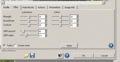
06/12/2008 10:43:17 AM · #19 |
Must be a different version as mine is different
 |
|
|
|
06/12/2008 10:44:28 AM · #20 |
Originally posted by scalvert:
Like this. Maybe it's different in the plug-in version? |
Mine is more like this.
|
|
|
|
06/12/2008 10:47:09 AM · #21 |
|
|
|
06/12/2008 10:57:33 AM · #22 |
Originally posted by togtog:
I downloaded the NN plug-in to try, I must be stupid, I cannot get a good result out of it. And in several cases it actually increased the noise :/ |
I have got very bad results from the CS3 plug-in of NNinja. Same as you...most of the time it increases noise. I get better results from AlienSkin jpg repair, and CS3 reduce noise filter.
Just my 2 cents...
|
|
Home -
Challenges -
Community -
League -
Photos -
Cameras -
Lenses -
Learn -
Help -
Terms of Use -
Privacy -
Top ^
DPChallenge, and website content and design, Copyright © 2001-2025 Challenging Technologies, LLC.
All digital photo copyrights belong to the photographers and may not be used without permission.
Current Server Time: 12/28/2025 03:05:24 AM EST.




