DPChallenge: A Digital Photography Contest You are not logged in. (log in or register
 
Browse Settings
Currently viewing:
Registered Userpixelpig

Show comments:

Per page:

Order:

Comments:


Comments Received by pixelpig
Pages:   ... [400] [401] [402] [403] [404] [405] [406] ... [697]
Showing 4021 - 4030 of ~6966
Image Comment
4109 DA
07/02/2010 10:41:53 PM
4109 DA
by pixelpig

Comment by Cory:
I like this. Neat effect for sure!
Photographer found comment helpful.
4124
07/02/2010 09:46:52 PM
4124
by pixelpig

Comment by e10icus:
Auntie Horus???
;-)
Pretty neat.
Photographer found comment helpful.
434
07/02/2010 04:30:50 PM
434
by pixelpig

Comment by idp:
I like that a lot - slightly science fiction feel to it - but then again I always vote high for the motion blur shots in challenges too
Photographer found comment helpful.
434
07/02/2010 11:34:32 AM
434
by pixelpig

Comment by Cory:
COOL.. This is starting to get towards that ticket!
Photographer found comment helpful.
434
07/02/2010 11:21:15 AM
434
by pixelpig

Comment by mycelium:
Cool abstraction! Did you reduce the color depth? I wish the gradients were smoother.

And I applaud your nice neat desktop--fewer icons is the way to go. :)
Photographer found comment helpful.
434
07/02/2010 11:17:41 AM
434
by pixelpig

Comment by TCGuru:
So pretty and soft for such hard subjects. Motion blur makes for interesting swooshes and colors. Very nicely done.
Photographer found comment helpful.
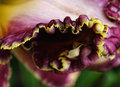
Where the Wild Things Are
07/02/2010 10:01:14 AM
Where the Wild Things Are
by pixelpig

Comment by bassbone:
great title for this image - the shape of the flower combined with its colors and the dark spot in the center really work together nicely
Photographer found comment helpful.
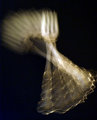
Breakout
07/02/2010 09:09:38 AM
Breakout
by pixelpig

Comment by vawendy:
I think you did an excellent job of editing this photo. I tried a couple of different edits:

This first one is using your edited file and playing around with it a little more:

Things that I was trying to fix:
1. I did want the last fork position to be a little more focused and prominent, so I selected that portion of the photo and did a smart sharpen with a setting of 109 and 4.

2. The point around which the fork rotates gets quite blown out, so I burned that area. I still had a few bright highlights that looked awkward, so I cloned those out using another area that looked better.

3. saturated it a little more, because I liked the warm colors that you were bringing out.

4. increased the contrast to darken the dark areas.

This second try is from scratch:


I used Topaz 4, recovery highlight setting.
changed the curves
colorized it using the hue/sat command.
burned the point of rotation
smart sharpened the center fork

Last one is from scratch:

Silver Efex -- high structure setting
colorized using hue/sat
curves
burned the point of rotation
smart sharpened the center fork

Since people might be irritated that I'm using other programs that have an additional cost, here's an edit using photoshops features:

duplicated layer
filter->other->high pass with a setting of 6.0
changed the blend of that layer to soft light, decreased the opacity a bit.
curves
burned the point of rotation
smart sharpened the center fork

NOTE: on that last edit -- I just discovered high pass sharpening I DO NOT KNOW IF IT'S LEGAL ON DPC.

one last one:

smart sharpening 109 - 4
curves
burned the point of rotation
smart sharpened the center fork
saturated a little bit more.

Message edited by author 2010-07-02 09:37:13.

Photographer found comment helpful.
Breakout
07/02/2010 08:57:47 AM
Breakout
by pixelpig

Comment by vawendy:
Oops, I forgot to put this in the comments when I PM'd you:

When I recommended the rear-curtain flash, I thought I'd better play around with it to see if it actually works.

Here's two examples to show you what I was talking about. The first one shows an example with no point in focus. The second one shows (kind of) the idea of the end fork being in focus. It helps give the eye a resting spot.

Just a thought.

I was also wondering whether color would add more interest -- I just went into hue/sat and clicked the colorize button.

btw, with the second curtain flash, I had to dial down the exposure of the flash to about -3EV, otherwise it was way too bright with the setup I was using.


(btw, my fork in the second shot is still a tad fuzzy, because I stopped in that place and waited for the flash, so it burned it there and then added the brighter fork. If I would have kept it moving until the flash, it would have been cleaner.)

(btw, I doubly impressed with your shot after trying this -- it is MUCH harder than it looks! You got a very nice flow with your shot!)

Message edited by author 2010-07-02 08:57:57.
Photographer found comment helpful.
Where the Wild Things Are
07/01/2010 11:26:00 PM
Where the Wild Things Are
by pixelpig

Comment by giantmike:
Great textures in this photo, and well lit. The dark center gives it a bit of mystery.
Photographer found comment helpful.
Pages:   ... [400] [401] [402] [403] [404] [405] [406] ... [697]
Showing 4021 - 4030 of ~6966


Home - Challenges - Community - League - Photos - Cameras - Lenses - Learn - Help - Terms of Use - Privacy - Top ^
DPChallenge, and website content and design, Copyright © 2001-2025 Challenging Technologies, LLC.
All digital photo copyrights belong to the photographers and may not be used without permission.
Current Server Time: 12/29/2025 10:55:49 PM EST.