| Image |
Comment |
| 01/08/2009 07:40:37 AM |
|
Photographer found comment helpful. |
| 01/08/2009 07:39:45 AM |
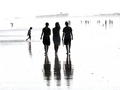
outtake.jpgby aliquiComment: This is quite cool, I like the tones but I prefer the colour version you entered :) |
Photographer found comment helpful. |
| 01/08/2009 03:25:28 AM |
|
Photographer found comment helpful. |

| 01/08/2009 03:25:19 AM |
|
Photographer found comment helpful. |
| 01/08/2009 03:25:11 AM |
|
Photographer found comment helpful. |
| 01/08/2009 03:22:02 AM |
|
Photographer found comment helpful. |

| 01/08/2009 03:21:43 AM |
|
Photographer found comment helpful. |
| 01/08/2009 03:21:28 AM |
|
Photographer found comment helpful. |
| 01/07/2009 07:52:59 PM |
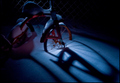
Tricycleby choltmeierComment: > I duplicated the background, used a Gaussian Blur on it and reduced opacity to 51%. If I can use Gaussian Blur, do I have to use it on the background layer?
Yes, that is the issue. You can't duplicate the background layer in basic, you can only use layers with no image data, eg a curves or levels layer and only applied in normal mode. So you can only use Gaussian Blur on the background layer in basic (and therefore no option to change opacity). Hope that makes sense, if not pm me ....
Fine to duplicate background layers in advanced and do what you did or apply layers in duplicate or soft light mode etc.
It's still a great image and a shame about the DQ |
Photographer found comment helpful. |
| 01/07/2009 05:48:36 PM |
|
Photographer found comment helpful. |
Home -
Challenges -
Community -
League -
Photos -
Cameras -
Lenses -
Learn -
Help -
Terms of Use -
Privacy -
Top ^
DPChallenge, and website content and design, Copyright © 2001-2026 Challenging Technologies, LLC.
All digital photo copyrights belong to the photographers and may not be used without permission.
Current Server Time: 04/06/2026 06:22:52 AM EDT.