DPChallenge: A Digital Photography Contest You are not logged in. (log in or register
 
Browse Settings
Currently viewing:
Registered Userbobonacus

Show comments:

Per page:

Order:

Comments:


Comments Made by bobonacus
Pages:   ... [180] [181] [182] [183] [184] [185] [186] ... [478]
Showing 1821 - 1830 of ~4773
Image Comment
January
02/23/2009 06:07:06 AM
January
by gys

Comment:
This is cool, the footsteps really add so much to this shot.
Photographer found comment helpful.
DSCF4047.jpg
02/22/2009 09:56:29 AM
DSCF4047.jpg
by ikopanas

Comment:
This is a quick How To to blend 2 different exposure images together :)

We have two images that have been edited differently to expose a sky and a much brighter land.


Open your images


Choose the move tool


and then whilst holding the shift key drag the dark image onto the light image. Holding the shift key centers the dragged image, in this case they will be perfectly aligned and you end up with two layers.


From the bottom of the layers palette add a layer mask


The choose black as your default colour, press D (and maybe X to swap white and black) choose a soft brush, in this case I choose a 100 px with a hardness of 0% and 100% opacity and then paint on your mask


The layer underneath will then be revealed. Painting black on the layer mask will hide the image on that layer. You can swap back to white to add back in if you go too far, you'll end up with this.


Make sure you are clicked on your layer mask before you start painting. You can just show the layer mask by holding Alt down before clicking it.


I also added a curves layer and copied the layer mask to only apply that to the sky.

You'll then end up with your final image

Photographer found comment helpful.
ssoc4050tripolis.jpg
02/22/2009 09:53:00 AM
ssoc4050tripolis.jpg
by ikopanas

Comment:
This is a quick How To to blend 2 different exposure images together :)

We have two images that have been edited differently to expose a sky and a much brighter land.


Open your images


Choose the move tool


and then whilst holding the shift key drag the dark image onto the light image. Holding the shift key centers the dragged image, in this case they will be perfectly aligned and you end up with two layers.


From the bottom of the layers palette add a layer mask


The choose black as your default colour, press D (and maybe X to swap white and black) choose a soft brush, in this case I choose a 100 px with a hardness of 0% and 100% opacity and then paint on your mask


The layer underneath will then be revealed. Painting black on the layer mask will hide the image on that layer. You can swap back to white to add back in if you go too far, you'll end up with this.


Make sure you are clicked on your layer mask before you start painting. You can just show the layer mask by holding Alt down before clicking it.


I also added a curves layer and copied the layer mask to only apply that to the sky.

You'll then end up with your final image

Photographer found comment helpful.

ssoc4050tripolis.jpg
02/19/2009 07:35:10 AM
ssoc4050tripolis.jpg
by ikopanas

Comment:
I prefer the brightness of the land in this but preferred the wider crop and sky of the previous edit.

If you are using photoshop you could blend the two together using layer masks, or you could apply a gradient fill layer in soft ligth mode to darken the sky back down again. Drop me a pm if you want more info and I'll add it.
Photographer found comment helpful.
Lake Cuyamaca Wooden Bridge
02/19/2009 06:13:05 AM
Lake Cuyamaca Wooden Bridge
by twmax

Comment:
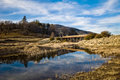
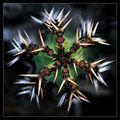
Lovely light and great scene. The reflection and sky are great. My only cc is I may have been tempted to run shadow/highlights (assuming LR2 has that function) just to bring the shadows out a little
Photographer found comment helpful.
IMG_5322xx.jpg
02/19/2009 06:05:00 AM
IMG_5322xx.jpg
by JerseyGenie

Comment:
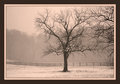
Nice old world feel to this. I'm not sure about the branches in the foreground, I can't decide if they frame that side nicely or they are a distraction! Great tone to this though
Photographer found comment helpful.
Landscape-1-Month-#-1.jpg
02/19/2009 05:59:53 AM
Landscape-1-Month-#-1.jpg
by Ivory

Comment:
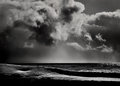
This is great, I love the combination of the deep shadows and the bright light from the sky.
Photographer found comment helpful.
Fruitology
02/13/2009 04:51:54 PM
Fruitology
by mikeee

Comment:
LOL
Photographer found comment helpful.
Lower Falls, Big Canoe, after a lot of rain
02/13/2009 09:05:52 AM
Lower Falls, Big Canoe, after a lot of rain
by rlewis

Comment:
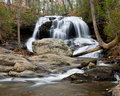
This is lovely, the nice silky water, the light is really nice considering how low the light levels must have been. The low pov is really nice as well and the rock in the foreground give something to break the waterfall up a bit.
Photographer found comment helpful.
Playing with Fire (Fire III)
02/13/2009 08:36:55 AM
Photographer found comment helpful.
Pages:   ... [180] [181] [182] [183] [184] [185] [186] ... [478]
Showing 1821 - 1830 of ~4773


Home - Challenges - Community - League - Photos - Cameras - Lenses - Learn - Help - Terms of Use - Privacy - Top ^
DPChallenge, and website content and design, Copyright © 2001-2026 Challenging Technologies, LLC.
All digital photo copyrights belong to the photographers and may not be used without permission.
Current Server Time: 04/06/2026 11:18:54 PM EDT.