| Image |
Comment |
| 02/21/2010 01:04:37 AM |
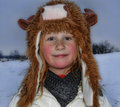
Maskby gadionComment: Reminds me of the Coneheads from Saturday Night Live. (What's her skull shaped like?) Even the lighting seems like it would work for SNL. |
 Photographer found comment helpful. Photographer found comment helpful. |
| 02/21/2010 12:56:36 AM |
|
| Photographer found comment helpful. |
| 02/21/2010 12:55:07 AM |
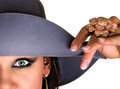
Should be wornby TomCubisComment: Nice shot. The title certainly makes the connection to the challenge, but without any headgear visible,... Well, you know. |
| Photographer found comment helpful. |
| 02/20/2010 12:00:45 AM |
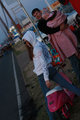
Scooter Mamaby kawesttexComment: One of the best street shots from the weekend. This is just too much fun! (I want one of those scooters.) |
| Photographer found comment helpful. |
| 02/19/2010 11:44:08 AM |
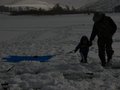
counting my blessingsby mrturtellComment: What Waddy says is correct. Bright snow, water and sand can completely fool an auto exposure system, because it does not know that the scene really IS that bright and it is trying to make a normal exposure out of it.
There is no substitute for getting a shot right in the camera, but there ARE some things you can do in post processing to help save such an exposure. I took a screen grab of your entry and did a levels adjustment on it.

What this adjustment does is it allows you to tell it what the brightest and darkest levels are in the image and then stretches the dynamic range of the image to match. If you look at the left hand thumbnail in this levels dialog (Your original image), you can see that the histogram is totally flat on the right side, which is the lighter tones. I then set the highlights slider (the white diamond shape) to match up with the brightest point for which the histogram shows there is detail. You can see the expected result in the righthand thumbnail preview. I went and pasted the after histogram into this so that you can see what the histogram looks like after the adjustment. The dynamic range has now been expanded to fill the available range, which lightens up the image and making the details more visible.
I also applied a modest amount of tonemapping using PaintShop Pro's clarify adjustment in order to bring out a little more detail from the dark figures, and then sharpened the photo a bit.

Hope this helps some.
|
| 02/18/2010 01:37:10 PM |
Cushion of Airby stanmooreComment: A mail order bride, eh? Did you find her on Amazon or EBay? Do they take trade-ins? |
| 02/18/2010 01:34:45 PM |
|
| Photographer found comment helpful. |
| 02/18/2010 01:32:57 PM |
|
| Photographer found comment helpful. |
| 02/18/2010 01:31:00 PM |
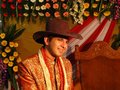
indian groom with cowboy hatby prashant_168Comment: Somehow the cowboy hat suits. Make sure he also has a huge belt buckle to go with the hat. It's required. Not sure if the Indian suit would work here in Texas though. |
| 02/18/2010 01:25:31 PM |
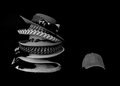
Tomboyby k9logicComment: I'm kind of divided on this. The stack of girly hats on the left looks great. Lots of detail, nice and contrasty. The ball cap on the right comes off a bit flat looking, however. Perhaps it is caught in the shadows of the others and not getting the strong light on it? Not really sure. |
| Photographer found comment helpful. |
Home -
Challenges -
Community -
League -
Photos -
Cameras -
Lenses -
Learn -
Help -
Terms of Use -
Privacy -
Top ^
DPChallenge, and website content and design, Copyright © 2001-2026 Challenging Technologies, LLC.
All digital photo copyrights belong to the photographers and may not be used without permission.
Current Server Time: 08/09/2026 10:16:24 PM EDT.