| Image |
Comment |
| 09/02/2006 11:59:20 AM |
The Golden Daysby FotoMunkiComment: Interesting color processing. The border, though, might me too wide for the image. It doesn't frame it well, since it is only on two sides. Composition of rest of image is well done, and the rule of thirds was used well for your village portion of the image. |
 Photographer found comment helpful. Photographer found comment helpful. |
| 09/02/2006 11:55:59 AM |
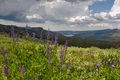
The Hills Are Aliveby Studio18Comment: Nicely composed. REally like the flowers in the foreground. Need a bit more brightness, though. It dulled down the detail of the mountains and flowers, though your sky seems perfectly exposed. |
| 09/02/2006 11:51:30 AM |
|
| Photographer found comment helpful. |
| 09/02/2006 11:50:19 AM |
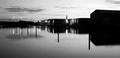
dockby idpComment: Composition is well done and your lights came out really well. It is very dark, though. Can't really see a dock. Maybe the contrast was adjusted too much? |
| Photographer found comment helpful. |
| 09/01/2006 09:45:11 PM |
|
| Photographer found comment helpful. |
| 09/01/2006 09:40:05 PM |
Who?by fotodudeComment: I love the soft focus on this one. Makes the owl look very mysterious and very much the night creature. |
| Photographer found comment helpful. |
| 09/01/2006 09:37:52 PM |
A Swingin' Affairby rhipsterComment: Nicely done. Looks like it could be on the cover of an album. You did a wonderful capture on the sax. I like the brushed look. |
| Photographer found comment helpful. |
| 09/01/2006 09:36:20 PM |
Scavengerby dahkotaComment: Boy that thing is butt ugly. Great detail on the image. Nice saturation of colors. |
| Photographer found comment helpful. |
| 09/01/2006 09:35:15 PM |
Pollenatingby MattOComment: Very nice detail on the wing. Flower is somewhat overexposed, which caused loss of detail. Maybe it was a bit overprocessed? anyway, some of the ways I take care of overexposure is to spot edit color in to take away the white areas. You can do it as layers by keeping your well exposed image on the same page as your edited one and switch between the two, layer the better exposure and detail over the overblown highlight. |
| Photographer found comment helpful. |
| 09/01/2006 09:30:43 PM |
A night at the seasideby WawaaComment: Nice colors. Some of light is overblown which made it have a purple fringe around it. That happens with high iso. One way to be rid of purple fringe is to spot edit it out to match the background it is fringing. |
| Photographer found comment helpful. |
Home -
Challenges -
Community -
League -
Photos -
Cameras -
Lenses -
Learn -
Help -
Terms of Use -
Privacy -
Top ^
DPChallenge, and website content and design, Copyright © 2001-2026 Challenging Technologies, LLC.
All digital photo copyrights belong to the photographers and may not be used without permission.
Current Server Time: 07/28/2026 10:38:48 PM EDT.