| Image |
Comment |
| 08/13/2007 09:33:17 PM |
|
 Photographer found comment helpful. Photographer found comment helpful. |
| 08/11/2007 11:21:05 PM |
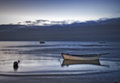
Day Eleven — Skiff at Dawnby Bear_MusicComment: Any chance of seeing a before diffuse glow was applied or the original? I'd love to see you get back into basics Robert. You have a good eye for compositions and getting the light right and such, but the after effects at times don't work too well for me. Not like you need to please me or anyone else though, so long as you like it, ignore everyone. |
| Photographer found comment helpful. |
| 08/11/2007 10:27:36 PM |
|
| Photographer found comment helpful. |
| 08/10/2007 02:31:45 AM |
Kharunisia by librodoComment: Gosh, here I go again.
I guess my appreciation for natural is far more than many on this site. Manny, I respect and admire your work, and your level of success you have achieved, but in this shot, the only part that really looks natural, is the reflection, and that part is superb! Her eyes and much of her face appear more like a porcelain doll than a real person. Prove me wrong and send me the original so I can owe you the biggest apology this site has ever seen, for the accusation that this is processed too far.
With a great admiration for your skill behind the camera, I have to say this one isn't working for me, again. |
| Photographer found comment helpful. |
| 08/10/2007 02:09:16 AM |
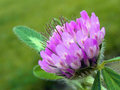
Day 36 - Cloverby ephlnComment: Another good example of the Image, Adjustments, Levels, Options, OK adding some extra oomph in a shot. It popped the contrast a bit. Then go back to Image, Adjustments, Levels, but this time, use your mouse to grab hold of the center little marker under the histogram (looks like a Hershey's Kiss) and slide it to the right until you get a level you like, in this case, in the 3 boxes above the histogram, you are adjusting the center one, and found a pleasant setting to be around 0.85 - that number changes when you slide the pointer. The center one adjusts neutral levels without hitting on the whites (the right pointer) and black (the left pointer). It's kind of like dropping the brightness, but leaving the blacks & whites alone. Message edited by author 2007-08-10 02:19:51. |
| 08/10/2007 02:02:41 AM |
|
| Photographer found comment helpful. |
| 08/10/2007 02:01:10 AM |
Day 30 - Coneflowerby ephlnComment: The leaf in the upper corner is a bit distracting and harsh. Cloning lightly (20% or so in strength) in darker mode or burning would help. |
| Photographer found comment helpful. |
| 08/10/2007 01:58:56 AM |
Day 29 - Negative Space by ephlnComment: As soon as this popped-up full size, I was instant hit with a musical performer, like a singer, under a spotlight, on stage. Me likes the appearance. |
| Photographer found comment helpful. |
| 08/10/2007 01:57:28 AM |
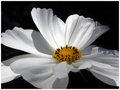
Day 28 - Cosmosby ephlnComment: Another excellent use of shadows to enhance a shot. The petals get a boost and added depth shot this way - nice! |
| Photographer found comment helpful. |
| 08/10/2007 01:56:14 AM |
|
| Photographer found comment helpful. |
Home -
Challenges -
Community -
League -
Photos -
Cameras -
Lenses -
Learn -
Help -
Terms of Use -
Privacy -
Top ^
DPChallenge, and website content and design, Copyright © 2001-2026 Challenging Technologies, LLC.
All digital photo copyrights belong to the photographers and may not be used without permission.
Current Server Time: 07/23/2026 12:36:38 PM EDT.