DPChallenge: A Digital Photography Contest You are not logged in. (log in or register
 
Browse Settings
Currently viewing:
Registered UserBrad

Show comments:

Per page:

Order:

Comments:


Comments Made by Brad
Pages:   ... ... [564]
Showing 441 - 450 of ~5638
Image Comment
Look into my soul
02/13/2008 02:27:30 AM
Look into my soul1st Place
by Judi

Comment:
Your poor family.
:P

I tried this kinda' shot too, but all I had was brake dust and an unsuspecting kid walking by.
It didn't look right. lol

Glad you snagged the blue on this Judi!! WooHoo!
Photographer found comment helpful.
Nineczka
02/13/2008 02:19:28 AM
Nineczka
by pawdrix

Comment:
I really like the simplicity and reality of this.
One I certainly would have been proud to have entered.

Back to add that after going through this challenge & the results, had to add it as a favorite. One of the best of the challenge in my opinion, and should have finished much higher than it did.

Message edited by author 2008-02-13 02:32:49.
Photographer found comment helpful.
Class of 2008
02/12/2008 08:02:35 PM
Class of 2008
by msdoubletrouble

Comment:
Hiya Sonya!

Nicely posed shot and love the lighting here.

As others have mentioned, there is a very unnatural yellow color cast to her skin. Not sure if it's your monitor calibration or not. To get her skin in the realm of more natural in appearance did this:
Image, Adjustments, Selective Color, dropped-down to the Yellow channel and made the following adjustments: Cyan 0 | Magenta 0 | Yellow -50 | Black +10 | click OK. Then Image, Adjustments, Hue/Saturation, drop-down to Yellow and made the following changes: Hue -14 | Saturation +7

That will get the skin very close to a neutral look. Don't be afraid to use the Shadow/Highlight, show more options, see that the settings are at 0 | 50 | 30 & 0 | 50 | 30 & +20 | 0 & 0.01% set in both boxes, then click the set as default. At that point play with the Mid tone Contrast a little and it will soften her skin a bit and give it a little glow (about +15). :Last but not least is to go Image, Adjustments, Photo Filter, and accept the default Warming Filter, set at 25%, with Luminosity preserved selected, even sliding it to 40% is a still natural and warm tones always look nice like this.



Try the steps here and see what you think. My monitor is calibrated with a Spyder3, so I know what I am seeing is right, and with only a few clicks, can get to this, all in basic editing too.

Message edited by author 2008-02-12 20:28:54.

a bump in the road
02/12/2008 02:04:15 PM
a bump in the road
by ErinM

Comment:
This is great! The POV along with the overall mood/tone really adds a gutteral feeling to it rather than just being a cool picture like the original was.
Photographer found comment helpful.
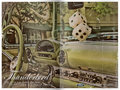
Thunderbird Advertisement
02/11/2008 06:36:19 PM
Thunderbird Advertisement
by Brad

Comment:
Originally posted by lentil:

Although the steering wheel is on the wrong side moron

Nope - you Aussies just don't have any sense of right & left ya' Putz.
*laffing*
Thunderbird Advertisement
02/11/2008 12:26:05 PM
Thunderbird Advertisement
by Brad

Comment:
My car??? LOL - those dice have more class than I do.
;)
River portrait
02/11/2008 04:23:01 AM
River portrait
by puzzled

Comment:
ahhh - glad to see this shot made it in! Hope it does well.
I bet this will do well and will be a great double-header being member of the Week and all.

btw, I'm not registered to vote in Sweden, so I bow out gracefully from clicking a number
:)
Photographer found comment helpful.
 Being EVICTED!
02/11/2008 01:03:58 AM
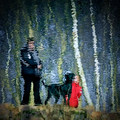
Being EVICTED!
by annig

Comment:
70th place?? Huh??
I REALLY do NOT understand DPC at times. 14% ??
Photographer found comment helpful.
MT08 JeepHurricane 31.jpg
02/10/2008 03:59:46 PM
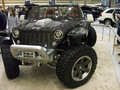
MT08 JeepHurricane 31.jpg
by RainMotorsports

Comment:
This thing needs an alignment BAD
LOL
Photographer found comment helpful.

the-forest
02/10/2008 03:02:19 PM
the-forest
by electrolost

Comment:
This is exceptional! Mystic, Magical and one to sit and study.

Only suggestion I have is to remove the whitish/light blue blob-thingie at the 330px vertical & 40px horizontal area - it draws the eye there a bit too much in my opinion.
Photographer found comment helpful.
Pages:   ... ... [564]
Showing 441 - 450 of ~5638


Home - Challenges - Community - League - Photos - Cameras - Lenses - Learn - Help - Terms of Use - Privacy - Top ^
DPChallenge, and website content and design, Copyright © 2001-2026 Challenging Technologies, LLC.
All digital photo copyrights belong to the photographers and may not be used without permission.
Current Server Time: 04/04/2026 07:01:40 AM EDT.