DPChallenge: A Digital Photography Contest You are not logged in. (log in or register
 
Browse Settings
Currently viewing:
Membervawendy

Show comments:

Per page:

Order:

Comments:


Comments Made by vawendy
Pages:   ... [572] [573] [574] [575] [576] [577] [578] ... [773]
Showing 5741 - 5750 of ~7723
Image Comment
Tree Swallow
07/02/2010 12:47:17 PM
Tree Swallow
by MaryO

Comment:
I'm impressed!
Photographer found comment helpful.
Evening Flight
07/02/2010 12:46:24 PM
Evening Flight
by MaryO

Comment:
gorgeous!! Absolutely gorgeous!
Photographer found comment helpful.
Breakout
07/02/2010 09:09:38 AM
Breakout
by pixelpig

Comment:
I think you did an excellent job of editing this photo. I tried a couple of different edits:

This first one is using your edited file and playing around with it a little more:

Things that I was trying to fix:
1. I did want the last fork position to be a little more focused and prominent, so I selected that portion of the photo and did a smart sharpen with a setting of 109 and 4.

2. The point around which the fork rotates gets quite blown out, so I burned that area. I still had a few bright highlights that looked awkward, so I cloned those out using another area that looked better.

3. saturated it a little more, because I liked the warm colors that you were bringing out.

4. increased the contrast to darken the dark areas.

This second try is from scratch:


I used Topaz 4, recovery highlight setting.
changed the curves
colorized it using the hue/sat command.
burned the point of rotation
smart sharpened the center fork

Last one is from scratch:

Silver Efex -- high structure setting
colorized using hue/sat
curves
burned the point of rotation
smart sharpened the center fork

Since people might be irritated that I'm using other programs that have an additional cost, here's an edit using photoshops features:

duplicated layer
filter->other->high pass with a setting of 6.0
changed the blend of that layer to soft light, decreased the opacity a bit.
curves
burned the point of rotation
smart sharpened the center fork

NOTE: on that last edit -- I just discovered high pass sharpening I DO NOT KNOW IF IT'S LEGAL ON DPC.

one last one:

smart sharpening 109 - 4
curves
burned the point of rotation
smart sharpened the center fork
saturated a little bit more.

Message edited by author 2010-07-02 09:37:13.

Photographer found comment helpful.
Breakout
07/02/2010 08:57:47 AM
Breakout
by pixelpig

Comment:
Oops, I forgot to put this in the comments when I PM'd you:

When I recommended the rear-curtain flash, I thought I'd better play around with it to see if it actually works.

Here's two examples to show you what I was talking about. The first one shows an example with no point in focus. The second one shows (kind of) the idea of the end fork being in focus. It helps give the eye a resting spot.

Just a thought.

I was also wondering whether color would add more interest -- I just went into hue/sat and clicked the colorize button.

btw, with the second curtain flash, I had to dial down the exposure of the flash to about -3EV, otherwise it was way too bright with the setup I was using.


(btw, my fork in the second shot is still a tad fuzzy, because I stopped in that place and waited for the flash, so it burned it there and then added the brighter fork. If I would have kept it moving until the flash, it would have been cleaner.)

(btw, I doubly impressed with your shot after trying this -- it is MUCH harder than it looks! You got a very nice flow with your shot!)

Message edited by author 2010-07-02 08:57:57.
Photographer found comment helpful.
Breakout
07/01/2010 06:46:51 PM
Breakout
by pixelpig

Comment:
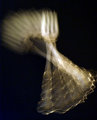
There is something quite appealing about this shot, but something not quite right, as well. The fork tines blur is very appealing, and the lines from the bottom of the fork are quite intriguing. The middle of the fork, where it's being rotated, is not as appealing, but I'm not sure you can do anything about that.

I'd be interested to see what happens if you had the fork in focus at the very end, so you have the motion blur, but there's a resolution. A couple of thoughts on how to achieve this:

1. Do you have an external flash? What about doing the 5 second exposure and then firing the flash at the end. I'm not sure whether this would work, but I think it would.

2. Setting your camera to do a rear curtain flash. I've never tried this, but I believe it will also have the same effect.

3. Silly solution that might work without playing with flash: set up a tripod very near where you're moving the camera. Set the shot for about 5 seconds longer than normal. Start the shot, do your rotations, when you're done rotating, put the lens cap on, put the camera on the tripod, take lens cap off and let it expose for another second or two. The final fork position should then be in focus. (You could try rotating it on the tripod, but then you wouldn't get the undulations.)

_____________

Lastly, you do have a processing problem, but you might not see it on your screen. On my screen, the lower left hand corner isn't black, it's a spotty blue. That's the type of thing that can hurt you the most. I've had this on shots where I've had a black background. The best thing to do is when you're working in photoshop, slowly increase the brightness of the photo and look what happens in your black background, this will show you the areas that you need to burn, clone or just darken in curves (when doing advanced editing.)

Photographer found comment helpful.
Aahhhhhhhhh...
07/01/2010 11:36:52 AM
Aahhhhhhhhh...
by GiorgioBaruffi

Comment:
haha! Great capture! Love the attitude
Photographer found comment helpful.
Three amigos
07/01/2010 12:19:00 AM
Three amigos
by Yo_Spiff

Comment:
Awesome shot!! Congrats on the top 10! Whoot!
Photographer found comment helpful.
Book of Seasons
06/30/2010 09:15:38 PM
Book of Seasons
by FrozenMoments

Comment:
Awesome!! Congrats on a beautiful red!
The Study of Oneself
06/30/2010 09:15:00 PM
The Study of Oneself1st Place
by Walkaboutwolf

Comment:
All right!!! Congrats on the blue -- and what an awesome score!
Photographer found comment helpful.
MMMM...Bread
06/29/2010 11:21:54 AM
MMMM...Bread
by Vpphoto

Comment:
This could have been a much better shot (imo) if you had recomposed to get more of the girl and less of the foreground bread because of the small depth of field. Your tilt is actually quite effective, but unfortunately, the oof bread really draws your eye away from the more interesting aspects of the shot.
Pages:   ... [572] [573] [574] [575] [576] [577] [578] ... [773]
Showing 5741 - 5750 of ~7723


Home - Challenges - Community - League - Photos - Cameras - Lenses - Learn - Help - Terms of Use - Privacy - Top ^
DPChallenge, and website content and design, Copyright © 2001-2026 Challenging Technologies, LLC.
All digital photo copyrights belong to the photographers and may not be used without permission.
Current Server Time: 08/01/2026 05:15:02 PM EDT.