DPChallenge: A Digital Photography Contest You are not logged in. (log in or register
 
Browse Settings
Currently viewing:
AdministratorPennyStreet

Show comments:

Per page:

Order:

Comments:


Comments Made by PennyStreet
Pages:   ... [2160] [2161] [2162] [2163] [2164] [2165] [2166] ... [2324]
Showing 21621 - 21630 of ~23235
Image Comment
sculpture of frost
11/12/2009 08:45:03 PM
sculpture of frost
by undieyatch

Comment:
It doesn't need the fancy title because it's such a lovely picture. Wonderful earthy colors, nice dof and composition. 7
Autumn in Paris
11/12/2009 08:43:38 PM
Autumn in Paris
by Matthew

Comment:
Ow how sweet. What a nice choice of dof to show off both the people and the autumn colors. Everything is just right.
Photographer found comment helpful.
misty.jpg
11/10/2009 09:20:13 PM
misty.jpg
by FourPointX

Comment:
very cool!
Photographer found comment helpful.
Remembering Favre
11/09/2009 08:08:29 PM
Remembering Favre
by Ironworker

Comment:
This is funny now, but a good picture even then.
For me, I liked him in green and gold.
Government Blues
11/09/2009 07:46:55 PM
Government Blues
by ahjenny

Comment:
Okay. I just read your forum post about wanting some help. I don't think I know enough to really be a mentor but you said you use CS4. I think this photo (which got a 5 from me, btw) could benefit from using the curves tool.
What you might try after you open a new picture is first check the auto settings (under Image). There is auto tone, auto contrast, and auto color (I think). See what the picture looks like with each of these - one at a time - then you can go back to the original file and see what you'd really like to do to it.
If you haven't tried the curves tool you will find it under Image/Adjustment. I think you might find it useful.
Also, do you do any sharpening?
Under Filter/Sharpen you will find Smart Sharpen and Unsharp Mask. You might want to slide around with those too. Many people told you about books that teach both photography and photoshop. It can't hurt, but doing it matters.
My suggestion is to take lots of pictures and use different settings ... look at them... play with them in photoshop. See what you like.
AND see what you like by other photographers here and don't be afraid to ask them about it. Most of the good photographers are really willing to give advice.
Comment, comment, comment... it forces you to look at other people's photos and think about them and put it into words. I've found that helps me.
I hope you see this. Let me know if I can help in any way.

Photographer found comment helpful.
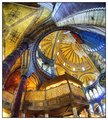
Hagia Sophia
11/08/2009 02:44:53 PM
Hagia Sophia
by salmiakki

Comment:
gorgeous rich colors - so much to look at. Lovely!!
Photographer found comment helpful.

paraphrase
11/08/2009 10:19:46 AM
paraphrase
by krnodil

Comment:
Bright, cheery, great dof and colors!!
Photographer found comment helpful.
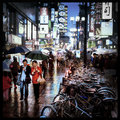
Umbrella Smiles
11/08/2009 09:36:32 AM
Umbrella Smiles
by AlexSaberi

Comment:
Gorgeous! I agree with your sensibilites.
Photographer found comment helpful.
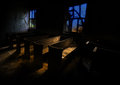
Abandoned Faith
11/08/2009 12:22:50 AM
Abandoned Faith2nd Place
by Photorico

Comment:
Nicely seen and taken. Congratulations on your ribbon!
Photographer found comment helpful.
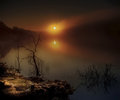
"Sunrise @ Chunky Gal Point"
11/08/2009 12:12:36 AM
"Sunrise @ Chunky Gal Point"3rd Place
by Rmac

Comment:
Congratulations!
Photographer found comment helpful.
Pages:   ... [2160] [2161] [2162] [2163] [2164] [2165] [2166] ... [2324]
Showing 21621 - 21630 of ~23235


Home - Challenges - Community - League - Photos - Cameras - Lenses - Learn - Help - Terms of Use - Privacy - Top ^
DPChallenge, and website content and design, Copyright © 2001-2026 Challenging Technologies, LLC.
All digital photo copyrights belong to the photographers and may not be used without permission.
Current Server Time: 05/10/2026 03:35:06 AM EDT.